NilfiskOS
A beautiful experience.
Unified across the lineup.

THE CHALLENGE OF SILOS
Nilfisk historically invested in siloed teams for each of their products. When a new product was in the works, a new team started building from scratch.
Designs were created for each possible screen and all its states, very specific to a single machine’s interface.
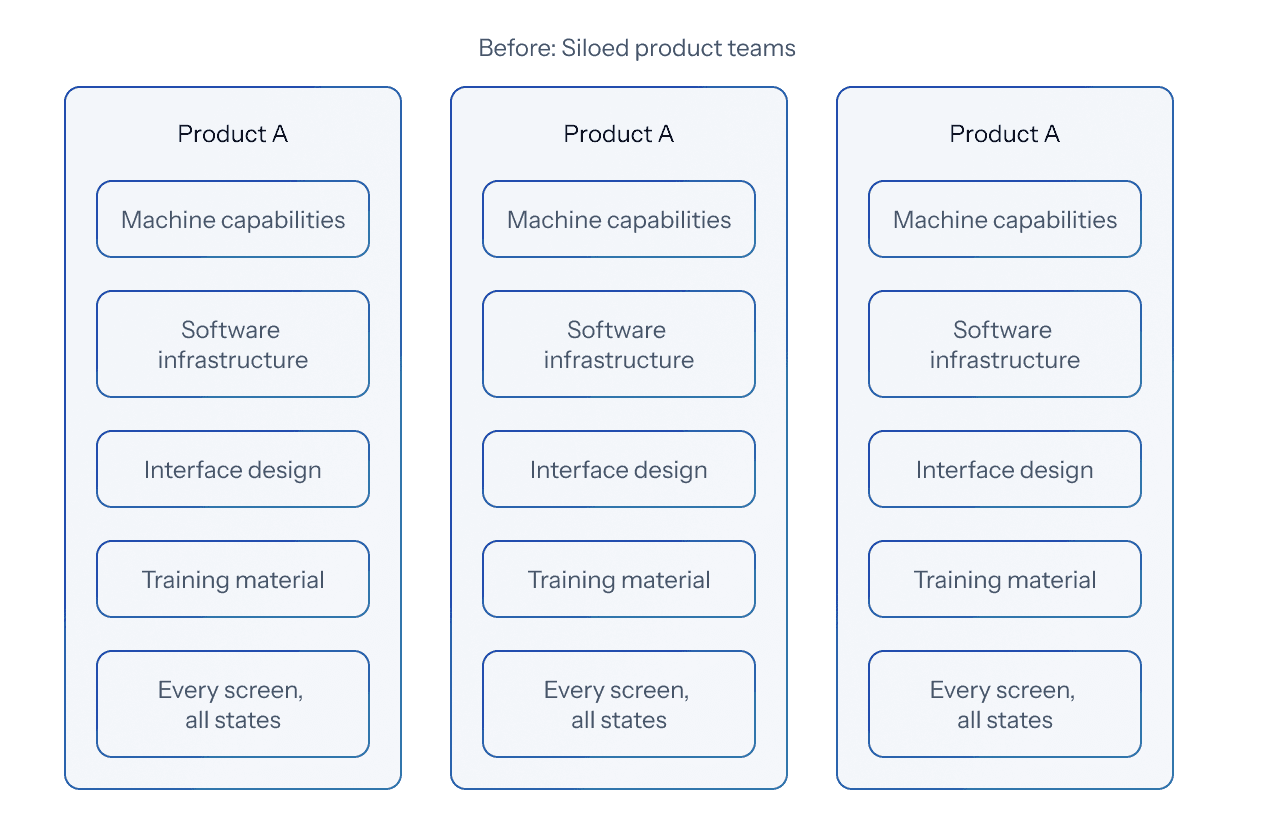
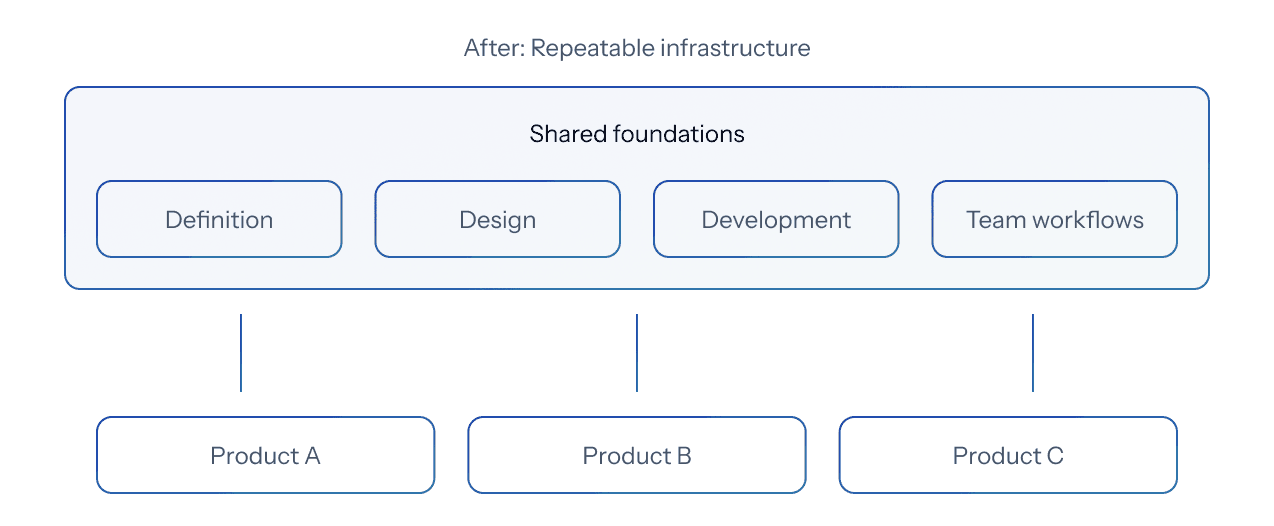
This way of building was failing in producing reliable results across the lineup because of the lack of a repeatable infrastructure - in definition, design, development, and team workflows.
The focus had to shift from designing for a single machine, to a first principles approach and start from the main goal - a user-first, consistent and repeatable system.
THE VISION - AN OPERATING SYSTEM
A beautiful operating system built from the ground up that puts users first and brings a unified experience across the Nilfisk lineup while still respecting the unique needs of each machine.

THE DESIGN CHALLENGE
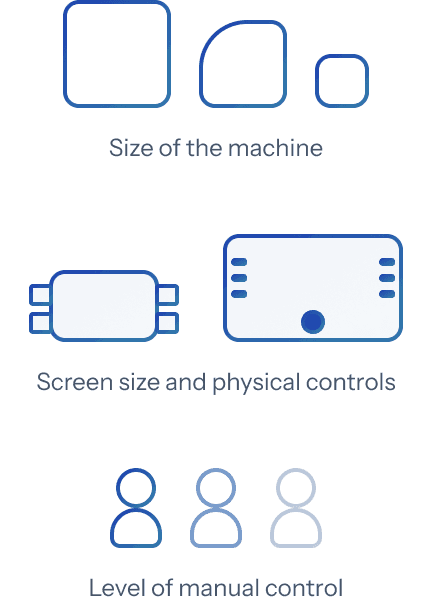
Each machine was designed for a different purpose - some were big, some were small, they had different screen sizes and physical controls, they used different cleaning methods, they needed varying levels of manual control, and were to be used in commercial or industrial environments.
The designed platform had to allow for the needs of these different machines to be met while providing a cohesive experience across all of them.
This would not be possible if each machine was built on a different platform by teams that did not talk to each other.
THE SYSTEM - FOUR CORE EXPERIENCES
We spent a lot of time thinking about the core experience we wanted the users to have when they used a Nilfisk machine and how each machine could still maintain its distinct identity. We asked ourselves -
“What kind of experience do we want our users to have, regardless of which machine they used?”
Field observation, conversations with operators on factory floors, and sessions with service technicians shaped what those experiences needed to be.
Real-time system awareness
The interface reflects the machine’s capability. It matches the machine configuration and subsystem statuses at all times, keeping the operator aware of exactly what the machine can do.

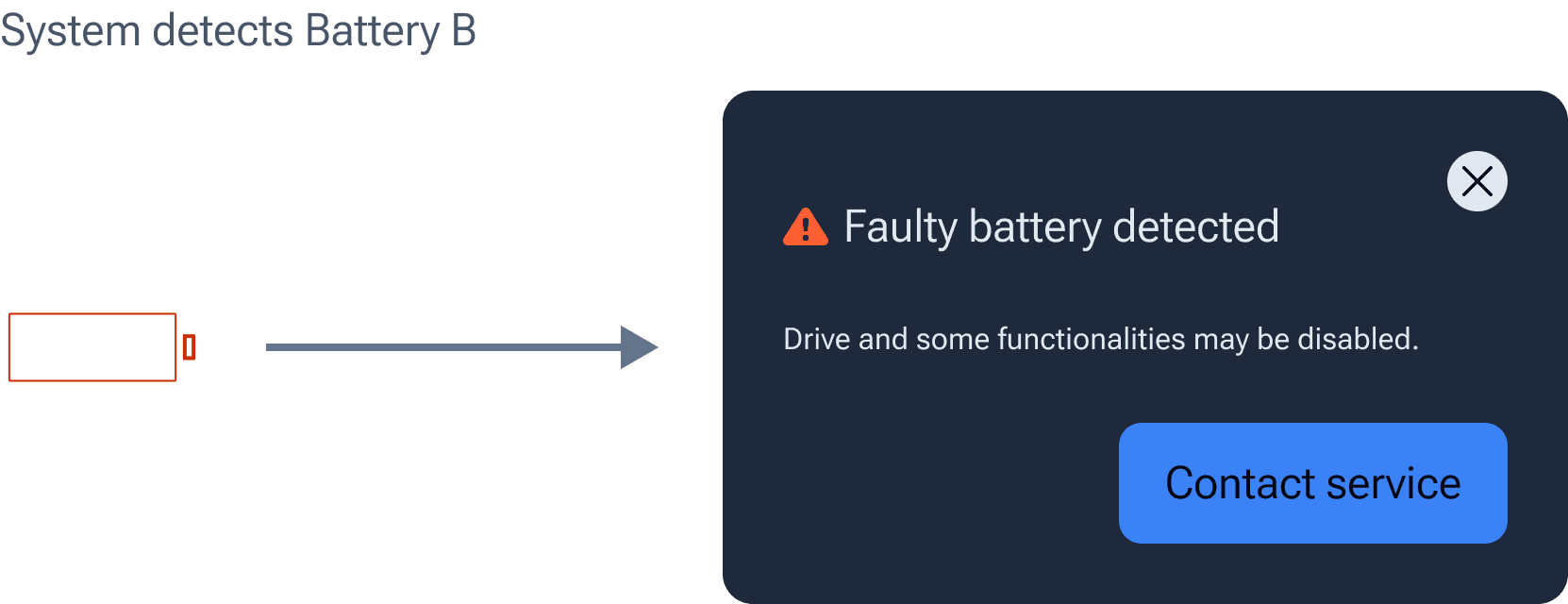
Contextually appropriate information
The interface handles escalation logic structurally, rather than leaving it to case-by-case judgment.
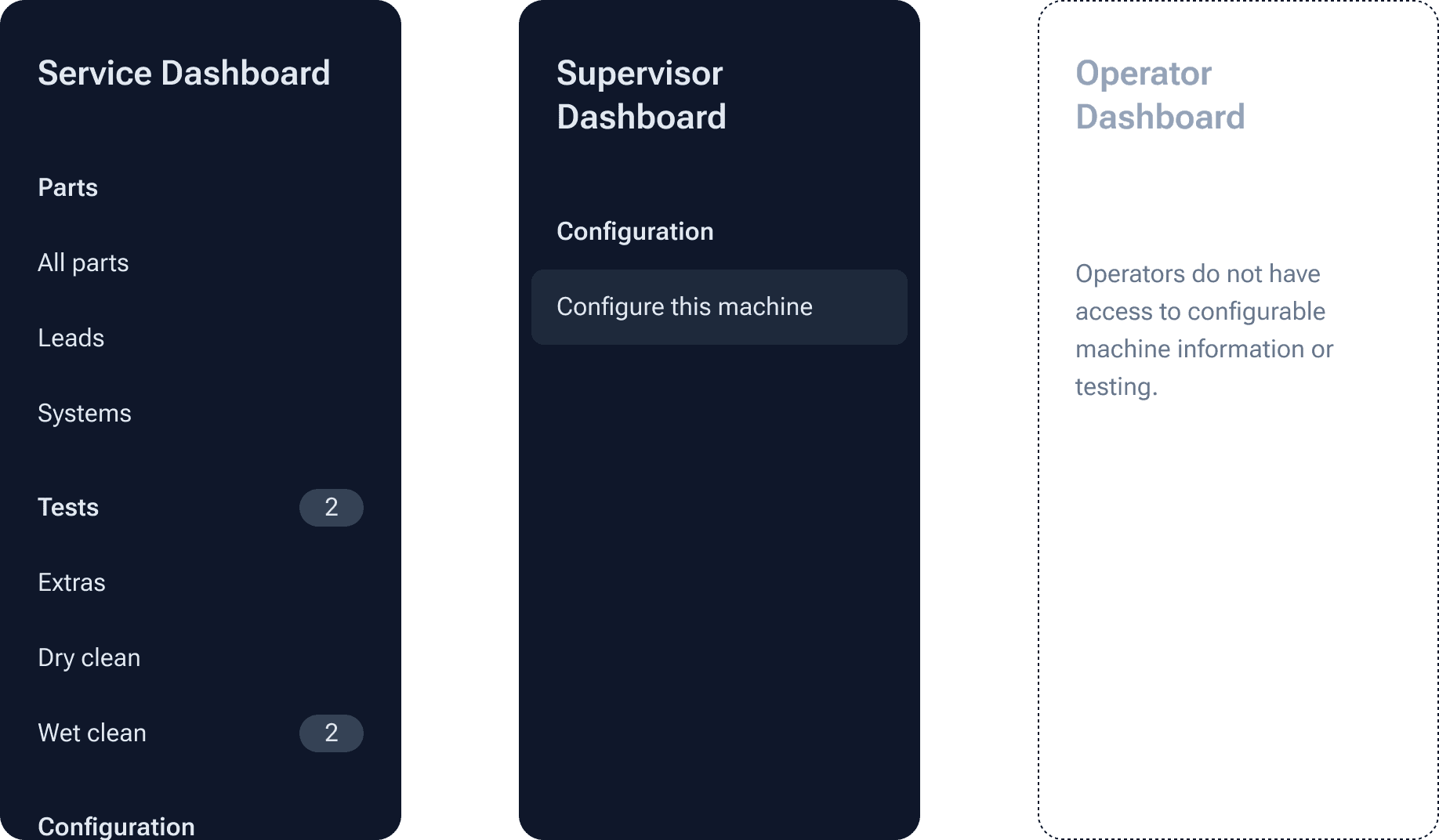
User personalisation and access
The interface feels familiar. It knows the user and surfaces the appropriate capability set.
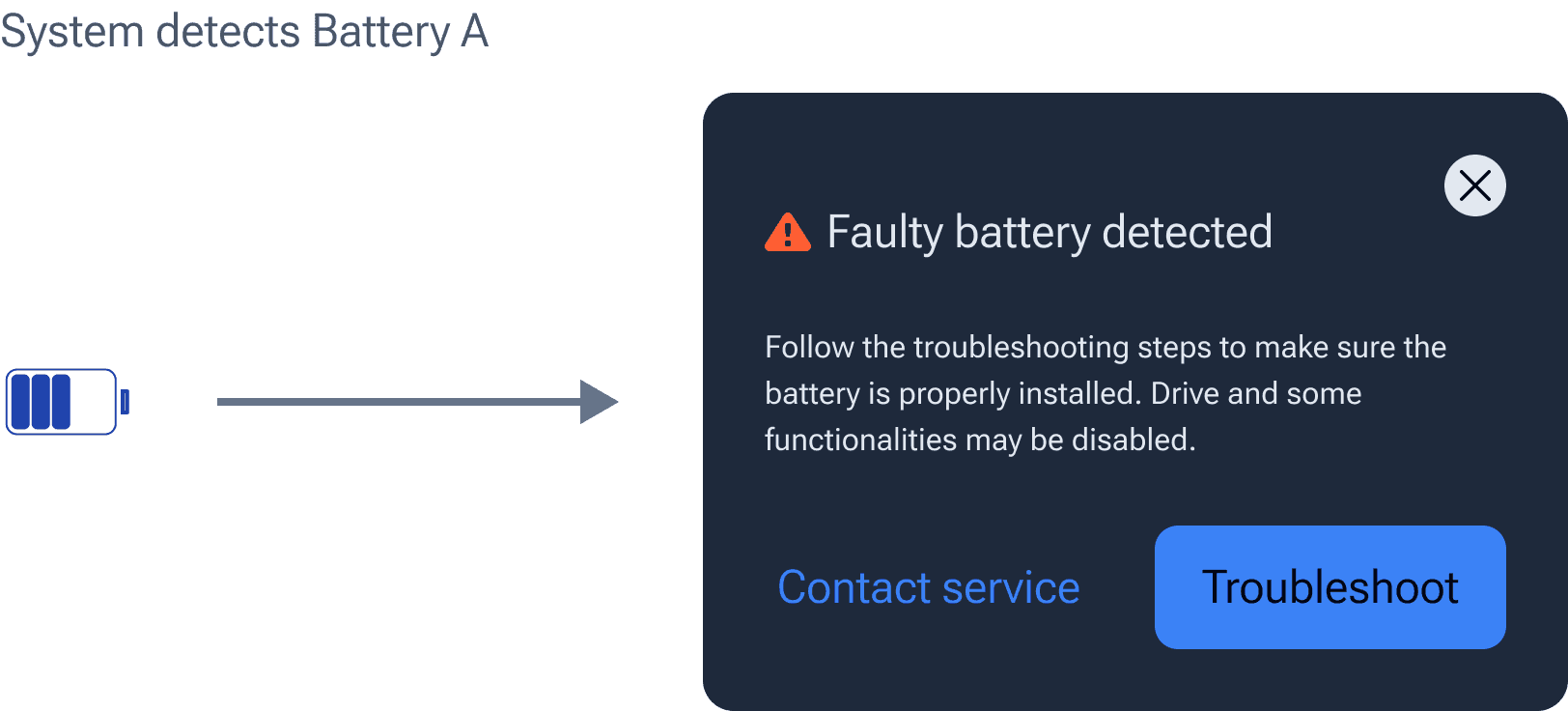
Diagnostics and repair
The interface guides users. When there is an issue with the machine, the operator is smoothly taken through error resolution steps.

THE DESIGN ARCHITECTURE
Every state change in a robotic system originates from one of three sources: operator input, one subsystem affecting another, or a condition the machine is sensing and responding to in real time.
Creating designs for every stage change is an arduous task when done for each machine. The new design system makes this work a breeze.
There is now a whole new element of delight, not only in the user interface, but also in the structure set up to create new designs.
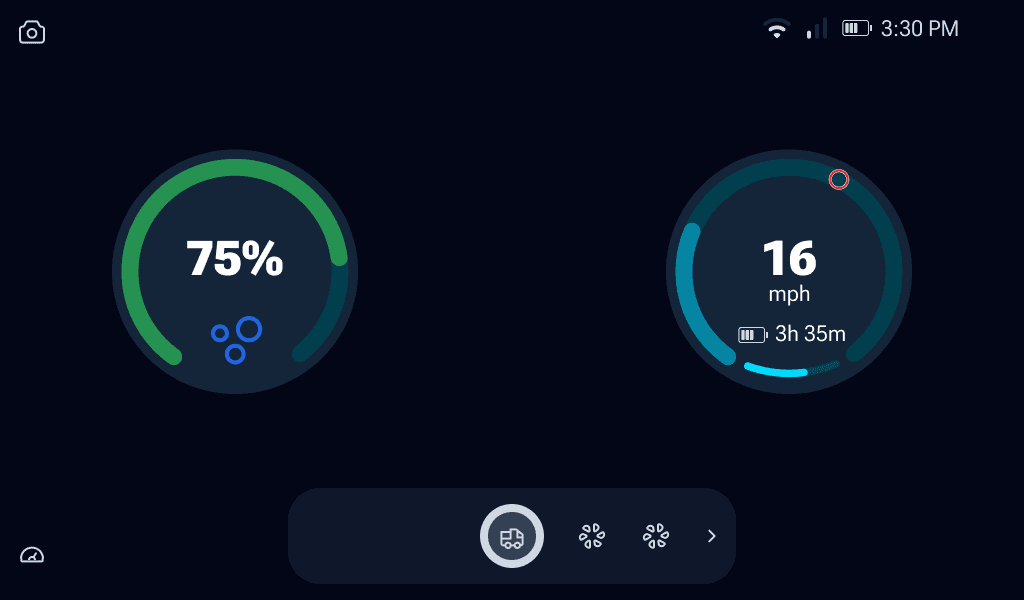
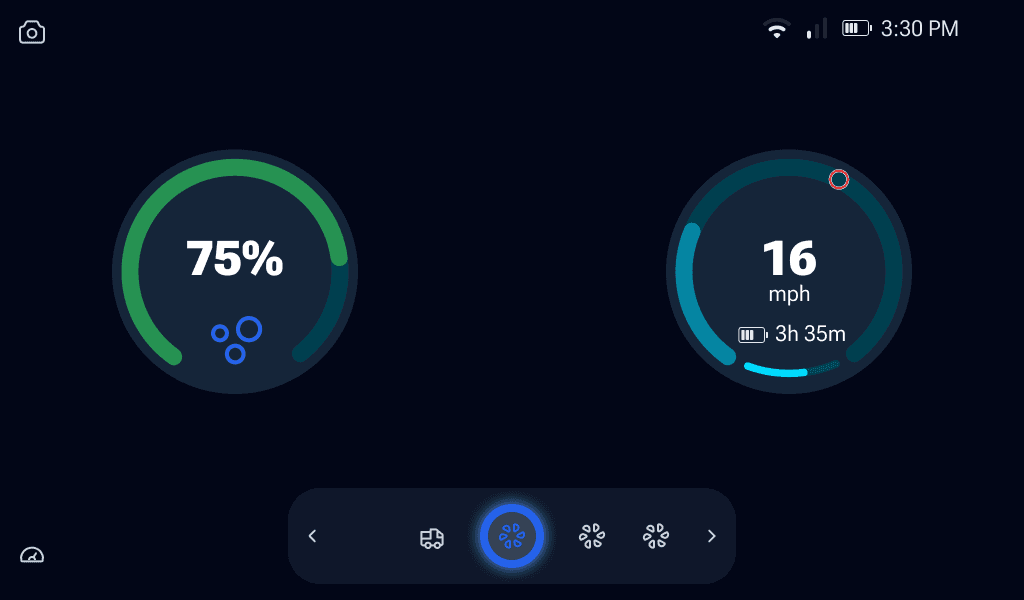
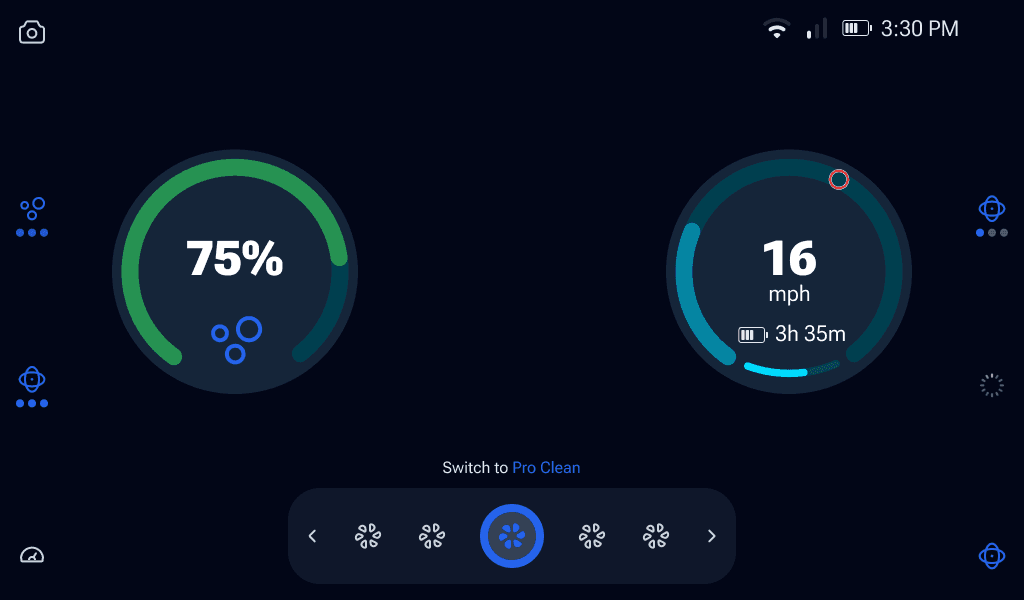
Nilfisk OS creates the configurable structural containers that are needed to surface the outcome of any state change - status bar, notification framework, layout system, design tokens.
The specific icons, copy, escalation paths, and machine capabilities are parameters, not fixed values. A new machine type inherits the scaffolding. It doesn't re-architect error handling or spacing or access control from scratch.
Solving for inconsistency
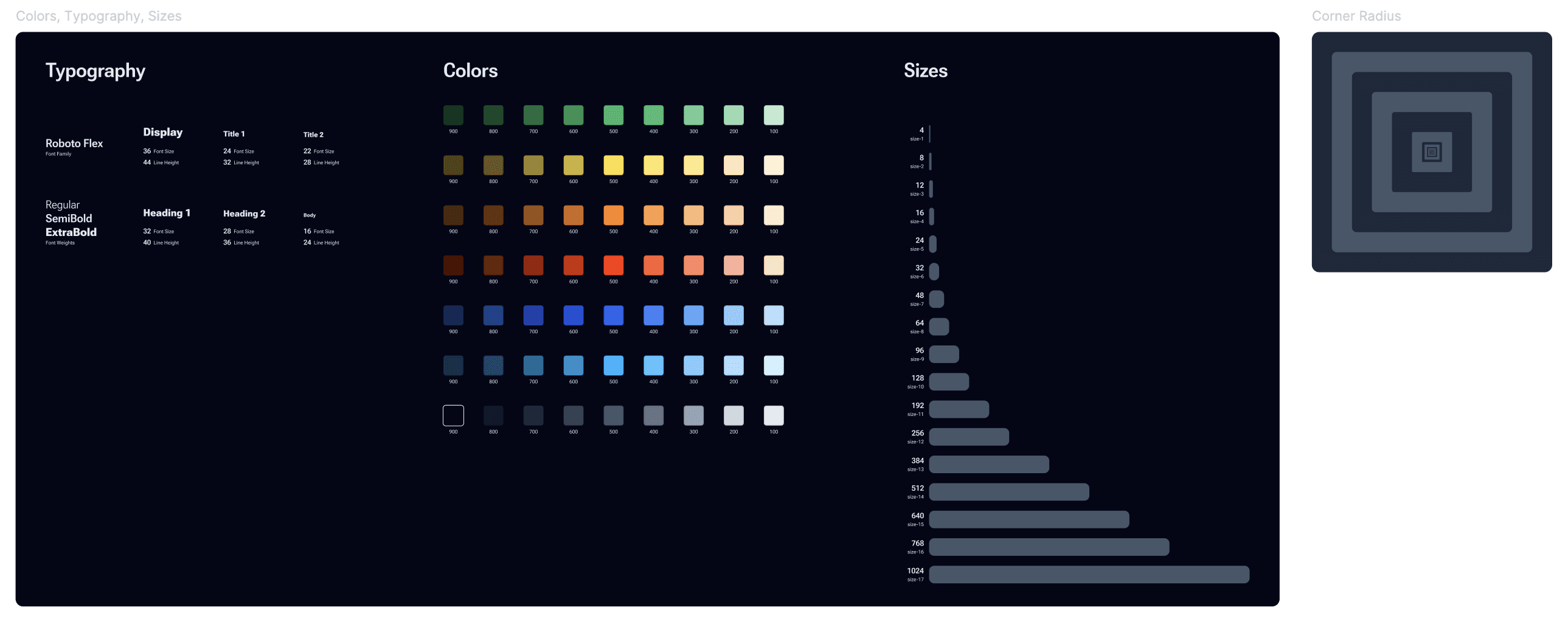
Defining a token library makes consistency structural, instead of a constant requirement. Color, typography, iconography, spacing - they are all defined in the design specifications through tokens. Hardcoded values are flagged immediately through a design linter before handoff.
Experimenting with AI for to ideate for planned future features
I used Figma Make to spin up prototypes of related features like logs on the machine using existing complex dashboards already on the machine and rough requirements following the information hierarchy documented through the messages framework.
This led to exploring questions related to bundling necessary information directly on the UI for service calls, filtering critical logs for a specific service visit etc.
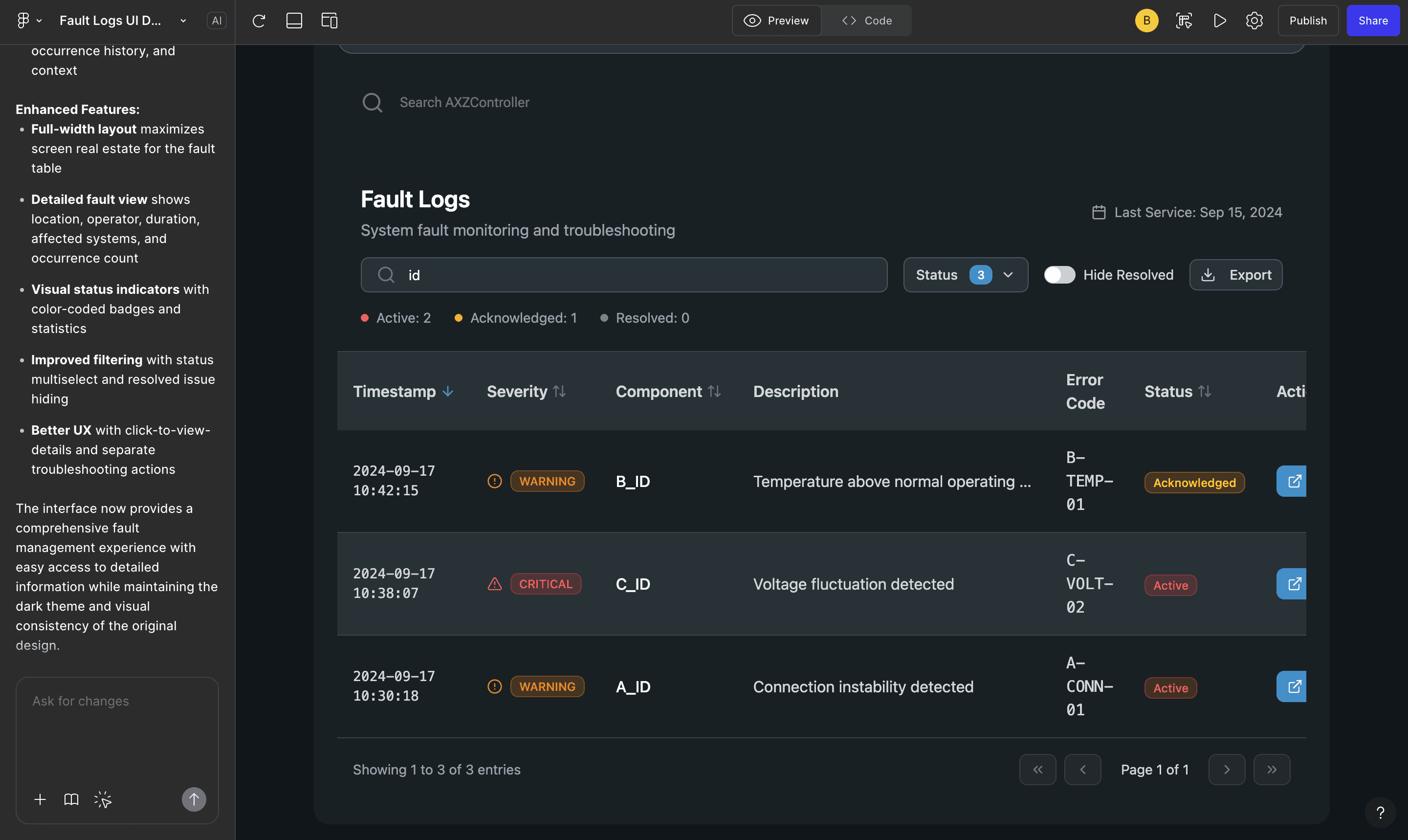
I imported components and basic reference images with specific requirements. Figma Make did a pretty good job of prototyping a lot of useful elements. I would change a few elements to match the constraints of established mental models and development costs.
Solving for noise
One problem we solved for, in our design, was accounting for noisy sensors. We wanted to ensure that the user experience was enjoyable, not overwhelming.
Sensor values fluctuate. Notifying the user whenever the threshold is crossed erodes operator trust. Instead, the framework ensures operators are notified only when a condition has been true long enough to mean something.

IN CONCLUSION
The interface ensures an intuitive and delightful experience for all users. It always puts the user first, brings a unified experience across the product lineup and respects the unique needs of each machine.
Operators settle in faster. Technicians resolve faults with less back-and-forth. The system is now being adopted across the entire Nilfisk portfolio, globally.
The vision is enforced structurally rather than aspirationally and changes what's possible for the machines, for the operators who depend on them, and for every team that builds what comes next.