Building the real-time notifications framework for a robotic operating system
Team
Lead Product Designer at Nilfisk R&D with a core team of hardware and software engineers, product managers, a project manager, and service technician representatives
Duration
2024 - 2025
Ask me how I
Advised executive leadership on portfolio‑level alignment and tooling investments to enable a scalable design system and real‑time messaging framework
Defined end‑to‑end product workflows (discovery → definition → design → handoff) across regions, and embedded them into JIRA, Confluence and Figma so R&D teams could make faster, clearer decisions
Led design studios with engineering, product, and service to build shared understanding of operator needs and build trust in UX‑driven decisions
Designed, implemented the notifications framework and its UI components as an extension of a scalable design system tailored to industrial robotic use cases
Methods
R&D workflow definition and documentation in JIRA, Confluence, FigmaUX Design for frameworks and behaviors
UX design for system behaviors, messaging framework, and state management
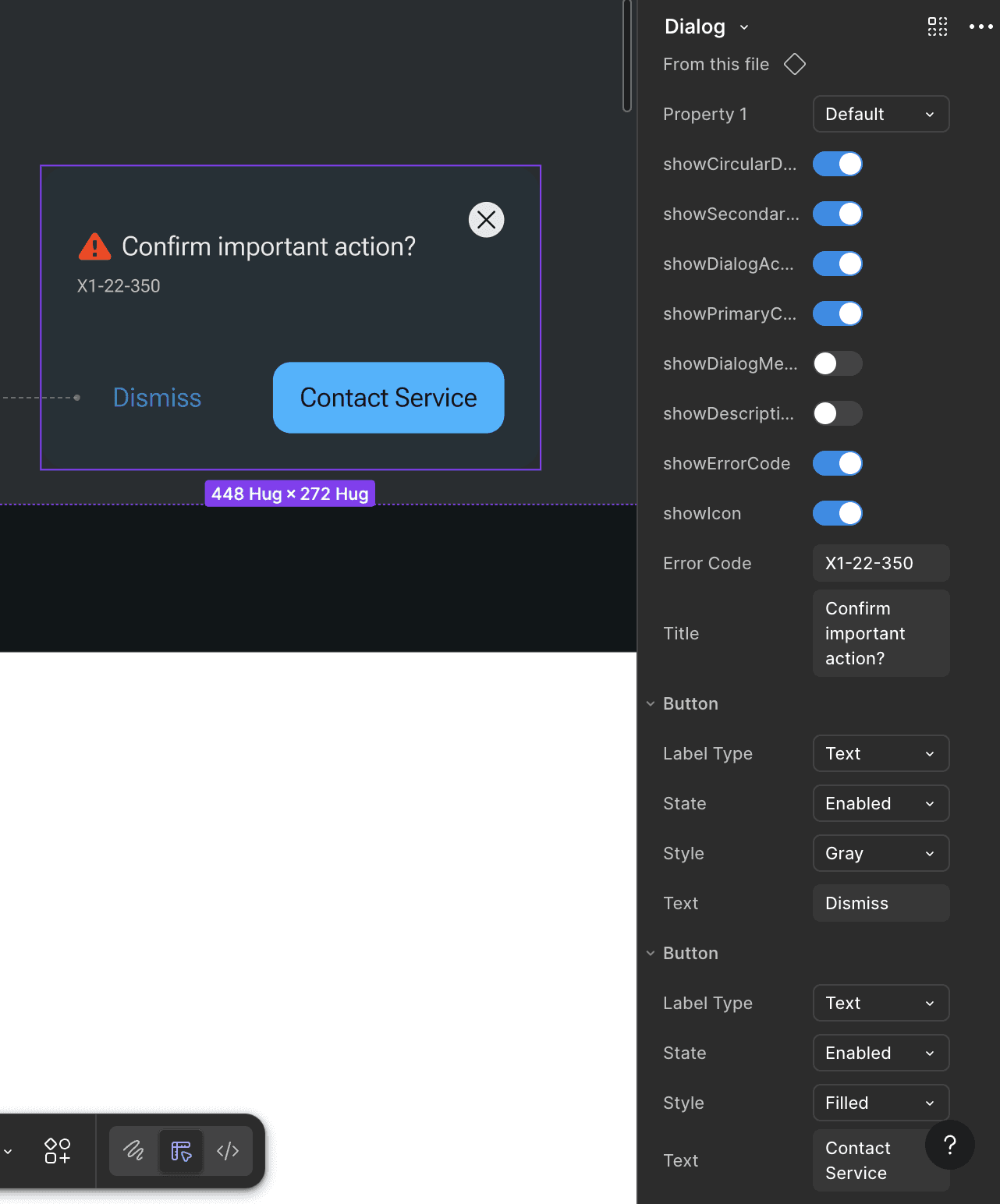
UI design and component management in Figma
Sketching and prototyping with FigJam, Figma Make, Rive, and “vibe coding” explorations; Testing with simulators on the machine
Confidential sections of the designs have been blurred or captured at low resolution intentionally.
IMPACT
Increased operator’s ability to self service, reducing the number of service calls by 30% for a given user flow
Quick Start Guide, How-To Videos, Guided Maintenance, Diagnostic and Monitoring Dashboards, Clear machine state with safe recovery steps
Time taken by technicians to troubleshoot issues reduced by 12% compared to previously provided error codes
Diagnostic and Monitoring Dashboards organised by system capabilities and triggers so information is prioritised and surfaced with actionable steps
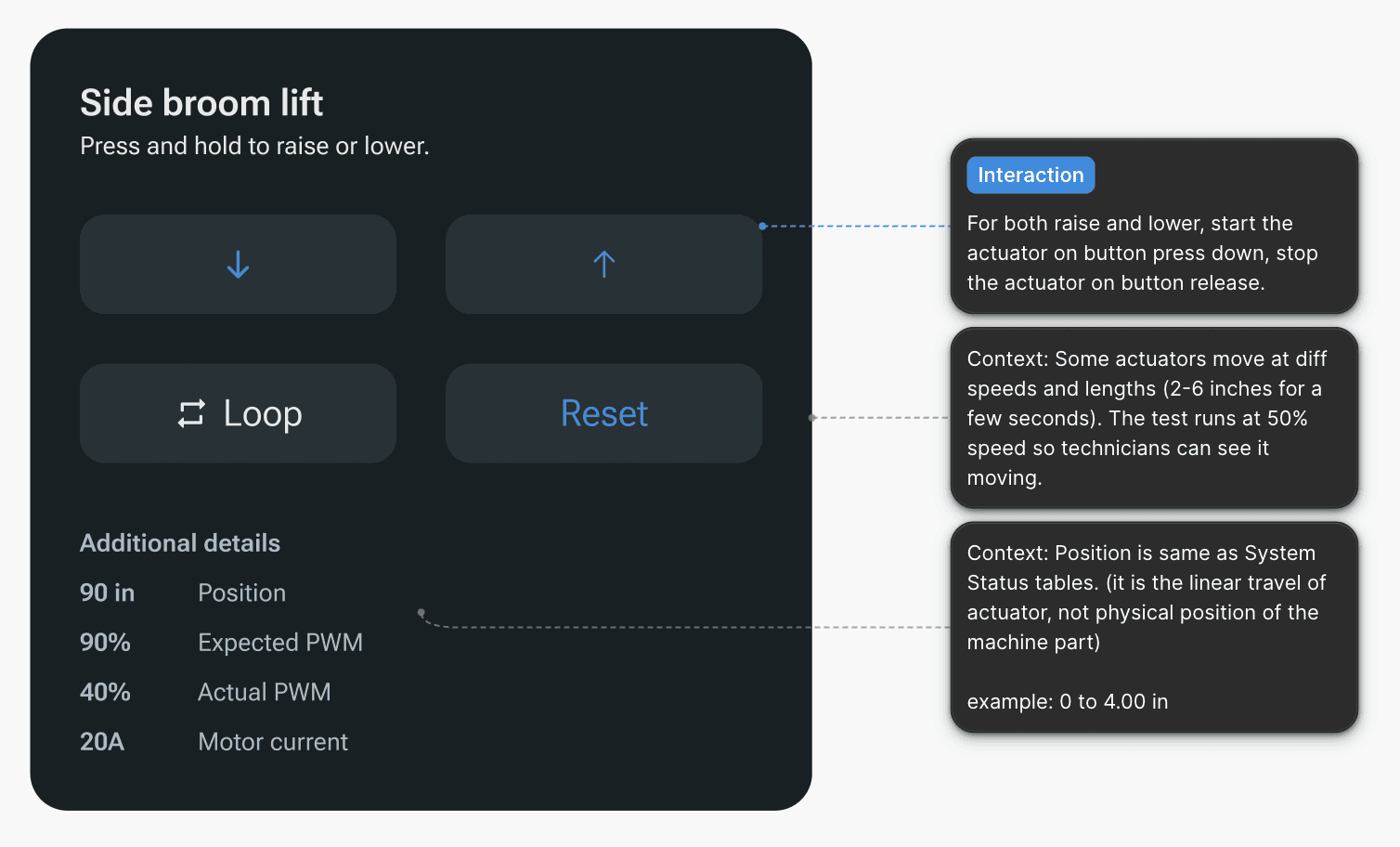
Diagnostic tests provide actual sensor data and expected values, guiding the technicians through each subsystem
SOLUTION
Core design decisions
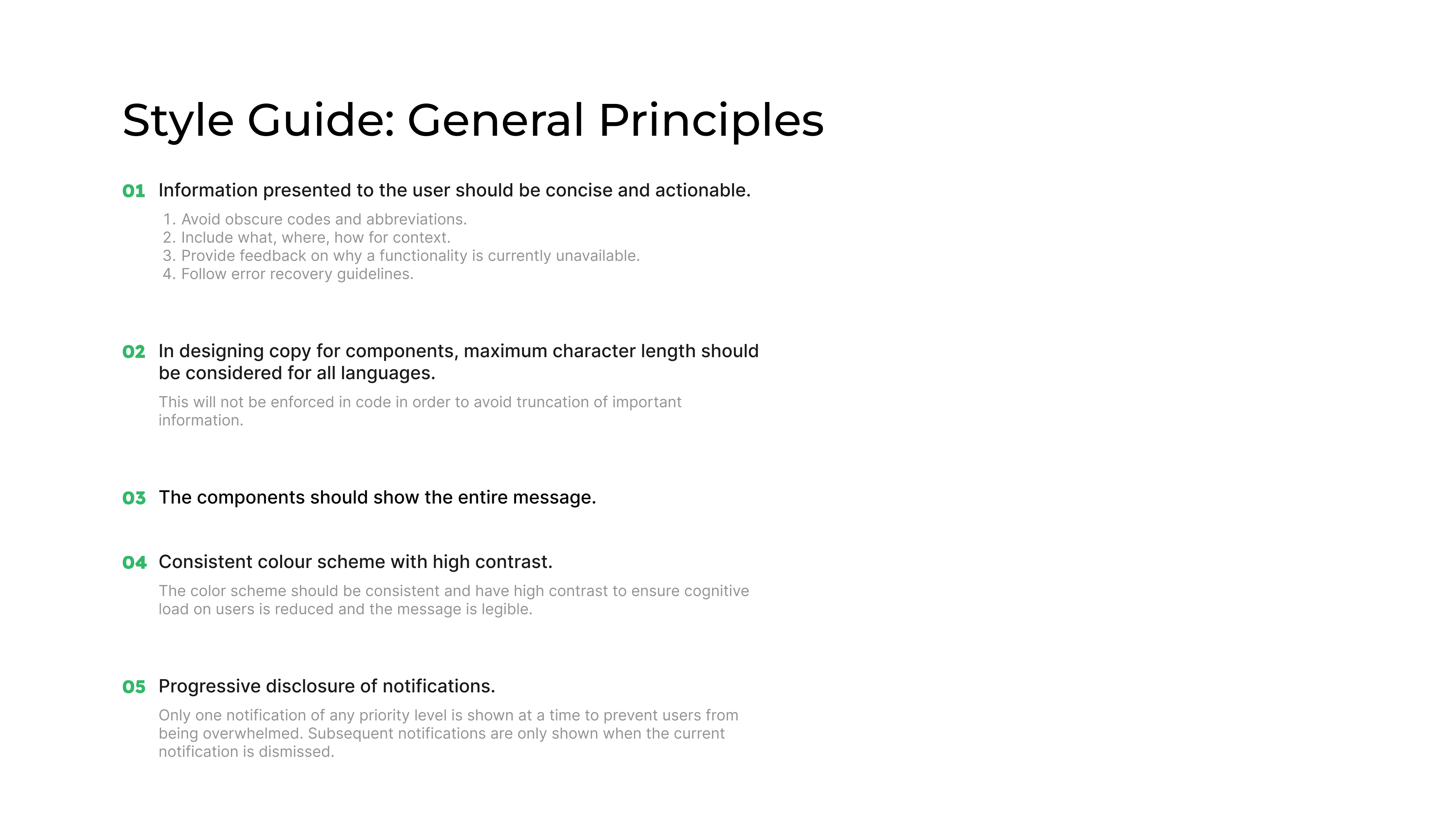
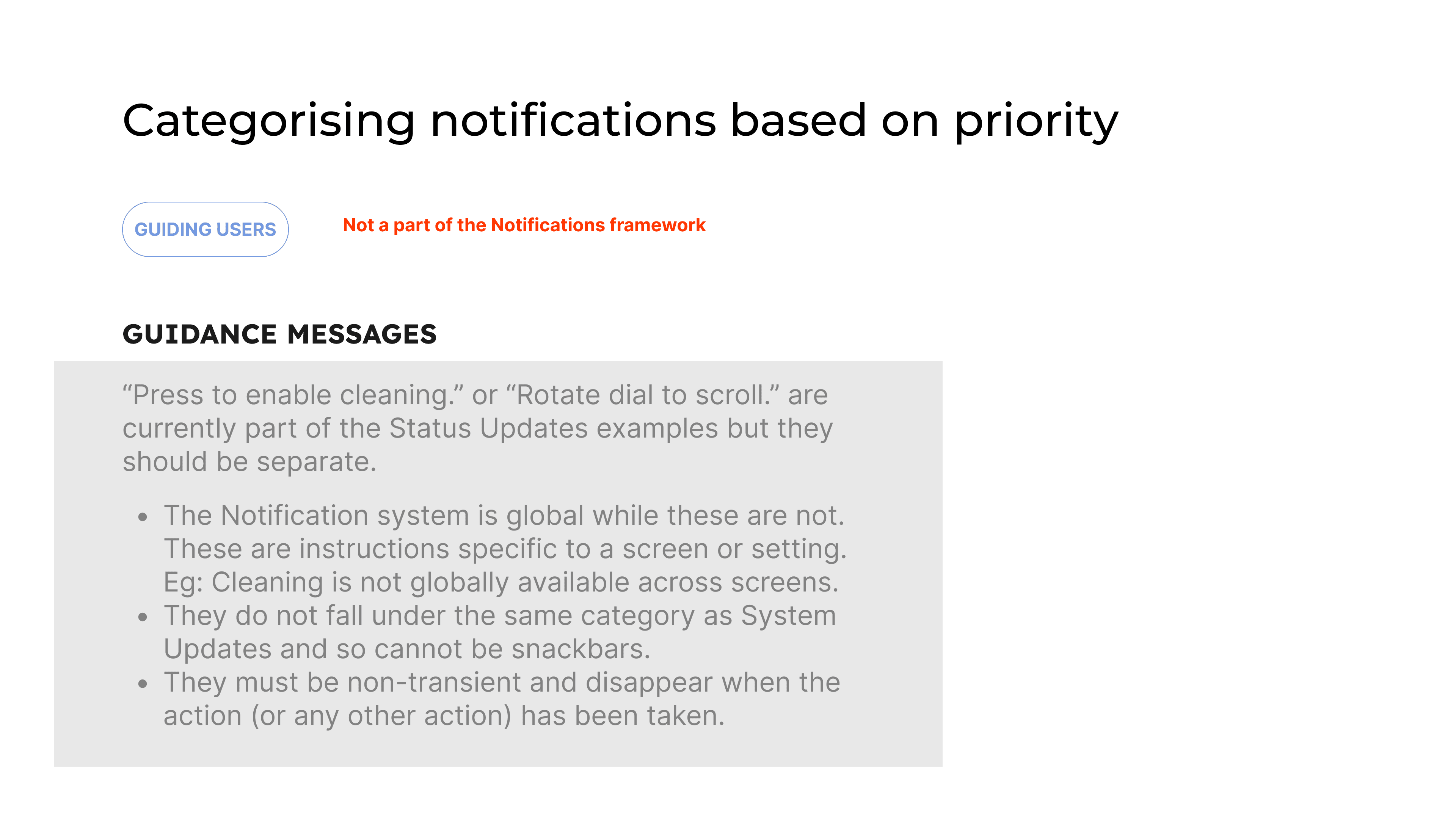
Defined priority levels as safety‑critical, disruption to workflow, informational. The goal was to allow relevant information to be surfaced to the user in a timely and helpful manner.
Priority levels taken in context of the user flow inherently balanced intrusiveness (dialogs) vs ambient feedback (banners/toasts) for different severities.
Mapped subsystem faults and temporary, cross-cutting inhibits to this framework and documented the logic for engineers and service.
Main deliverables
A framework for machine‑related messages, independent of UI, defining event types, priority levels, escalation, and ownership.
UI components and patterns implemented in the design system, including:
Dialog modal
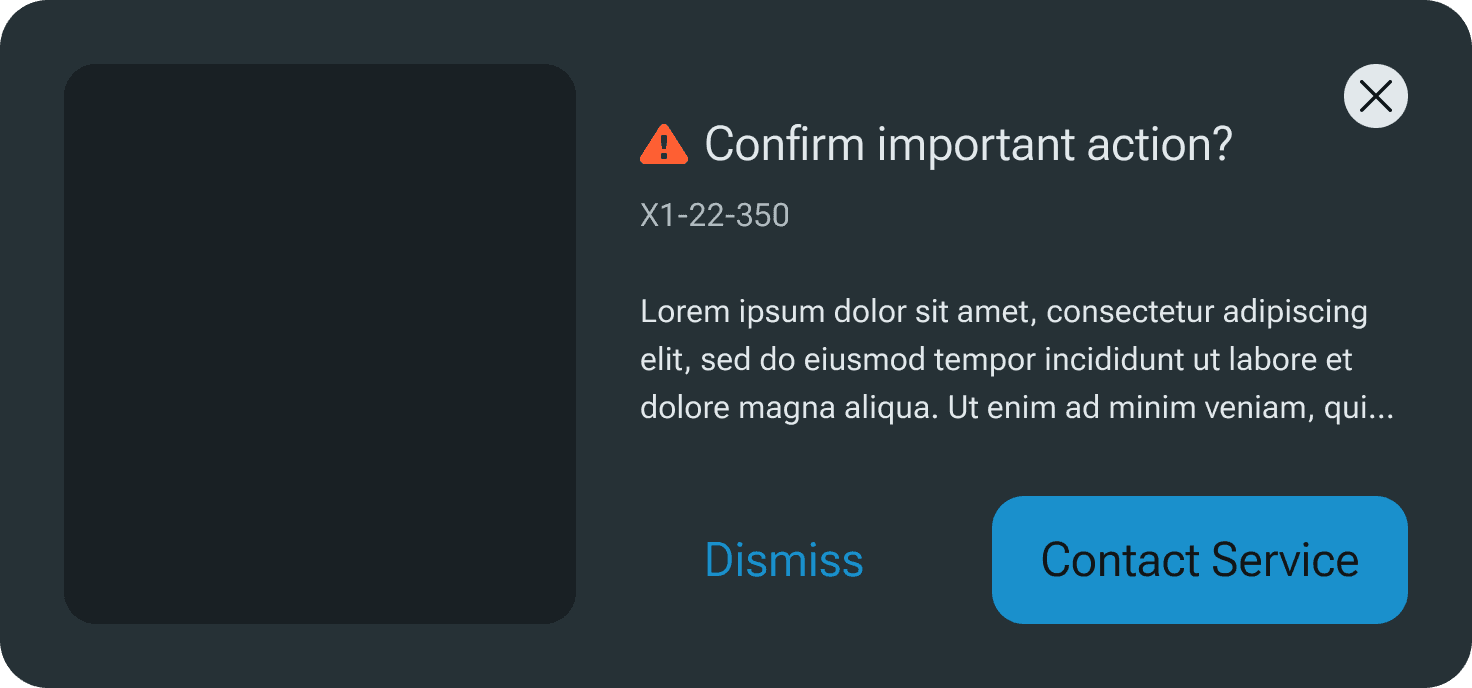
Confirmation popup
Banners
Toasts
Extension: stepped flows for guided troubleshooting and risky operations
An audit of the robotic system capabilities that would inform the definition of troubleshooting user flows.
These components power
Guided troubleshooting flows that enable operators to resolve common errors without calling service technicians .
Automatic guided flows for risky operations, providing clear, sequenced instructions to protect operators and the machine.
Maintenance flows that present linear steps to reduce error rates and missed actions.
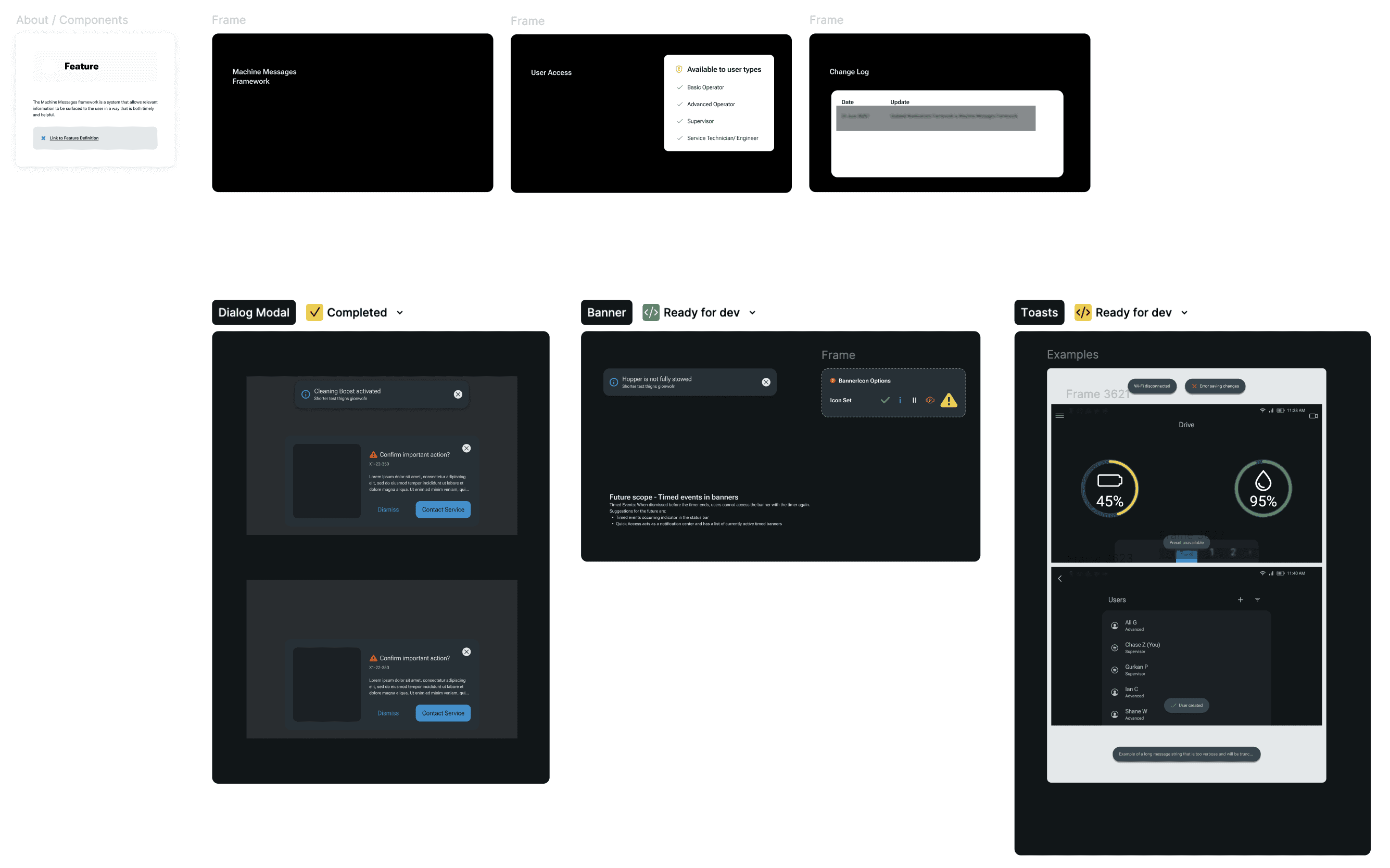
Framework for machine related messages on Figma
Dialog modal
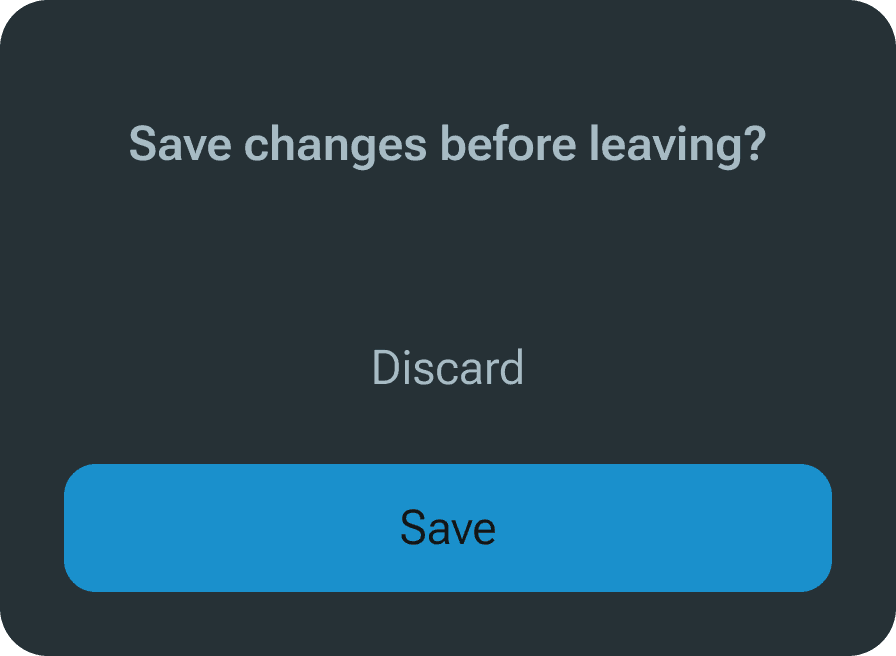
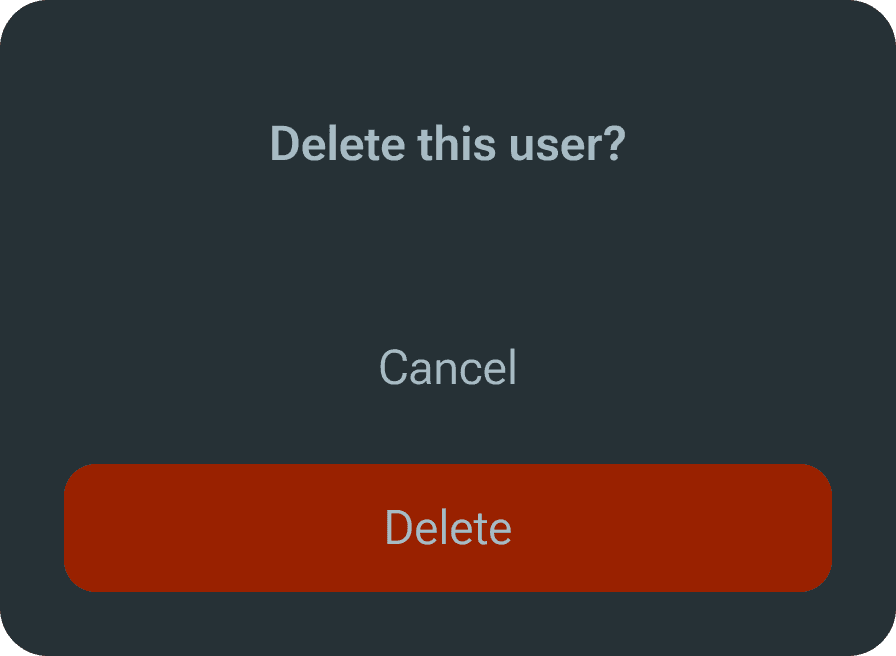
Confirmation popup
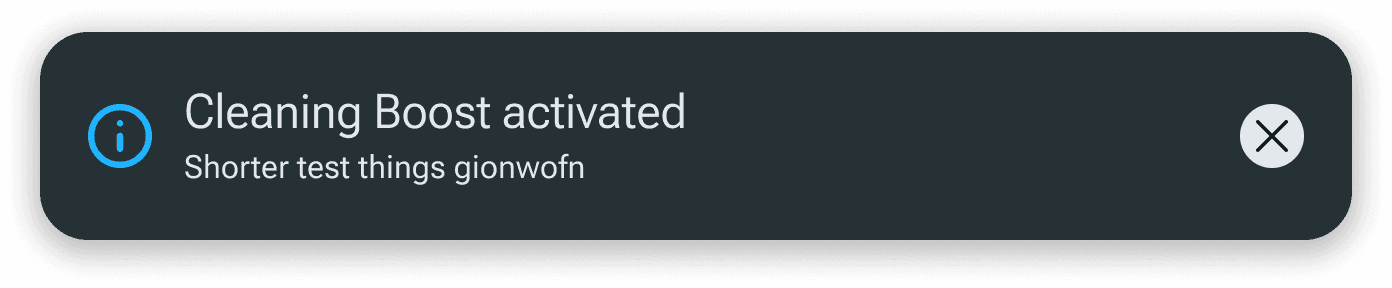

Banners

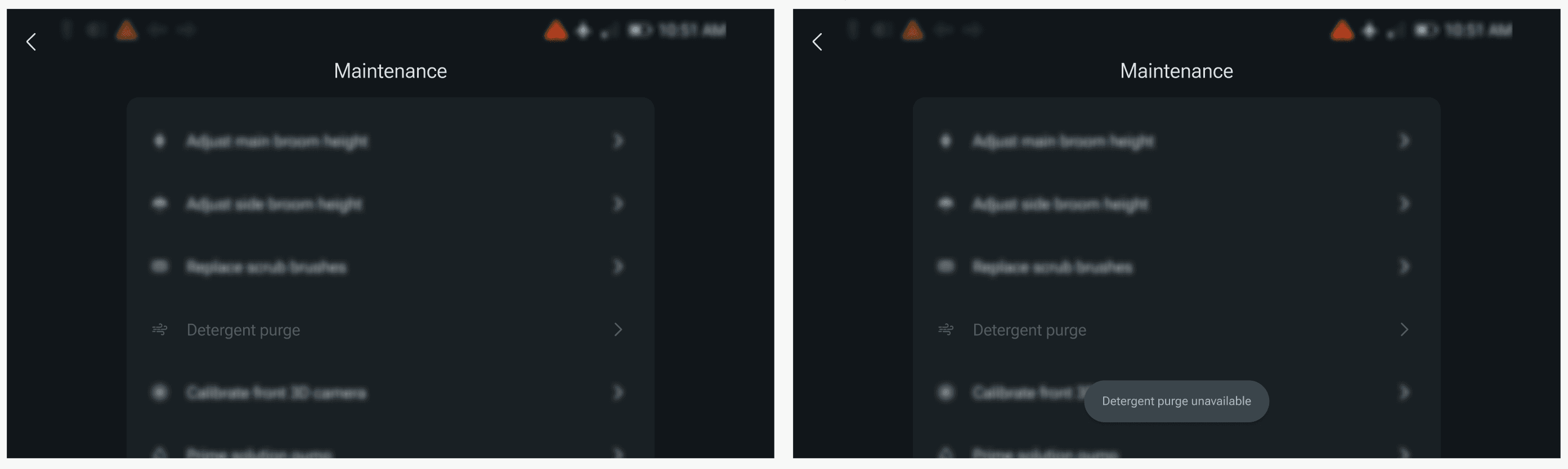
Toasts
FEEDBACK
"It is the easiest machine to use and troubleshoot."
~ Customers
"This is the best assistance we have ever given to machine operators to self resolve issues."
~ Service Technician Trainer
CONTEXT ABOUT THE SYSTEM
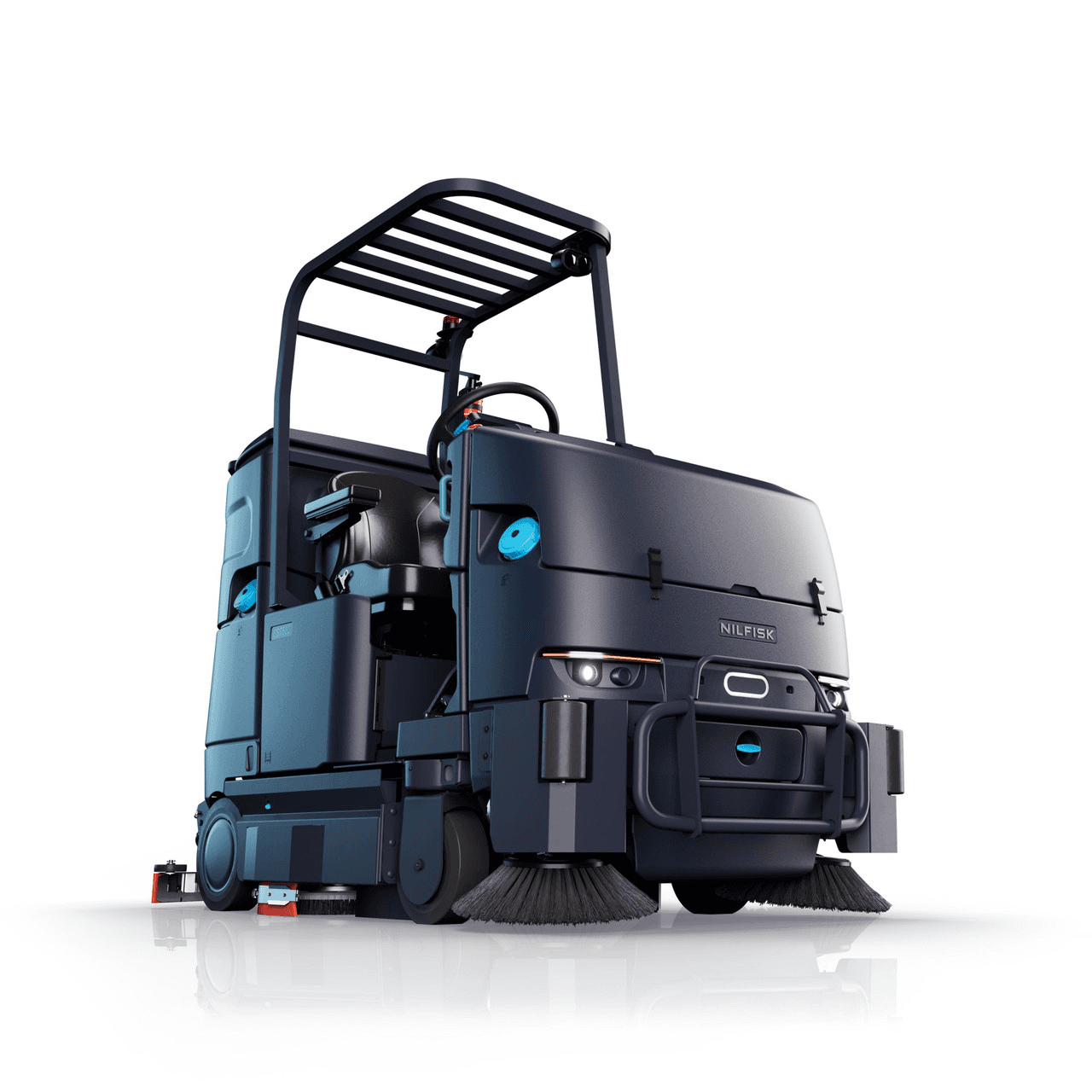
Machine M is the latest and most complex machine in the portfolio. It has the biggest touch screen and a lot of module-based functionality.
REQUIREMENTS
The vision
Safety: The system should inform the operator of updates and issues based on priority, where priority was determined by the impact to safety of the operator and machine. I built real-time feedback into user flows, and added a safety mode for risky operations.
Clarity: The information architecture should ensure that critical information is surfaced to the user without causing cognitive overload.
Reliability: In order to ensure reliable patterns in the operator's workflow, I had built a design system that had visual polish to match the mental models of modern users. Think Tesla and other automotive references.
DESIGN CONSIDERATIONS
Accounting for all user types - from experts to novice users.
The cleaning industry faces massive churn in contractual workers, making it very important for machines to be easy to understand and use from the start.
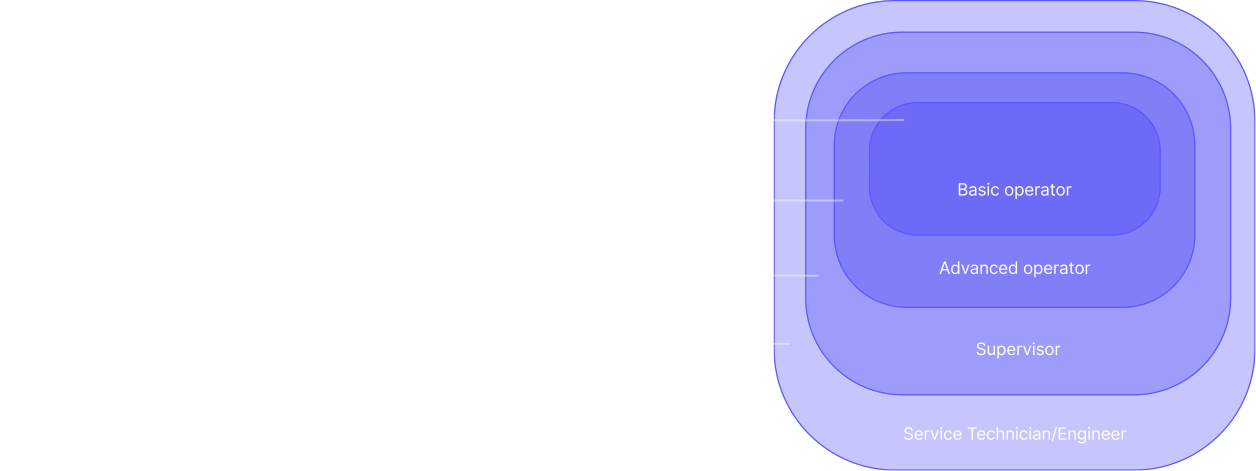
User types
Legacy machines had limits.
Small information display: The older machines had screens smaller than 7 inches in width and height, resulting in a screen that was only used to display critical information. This was paired with physical controls and a heavy reliance on operator training sessions and user manuals.
Lack of scalable systems: The operating systems before Machine M did not use modern webapp based programming paradigms, making scalability difficult in both design and development.
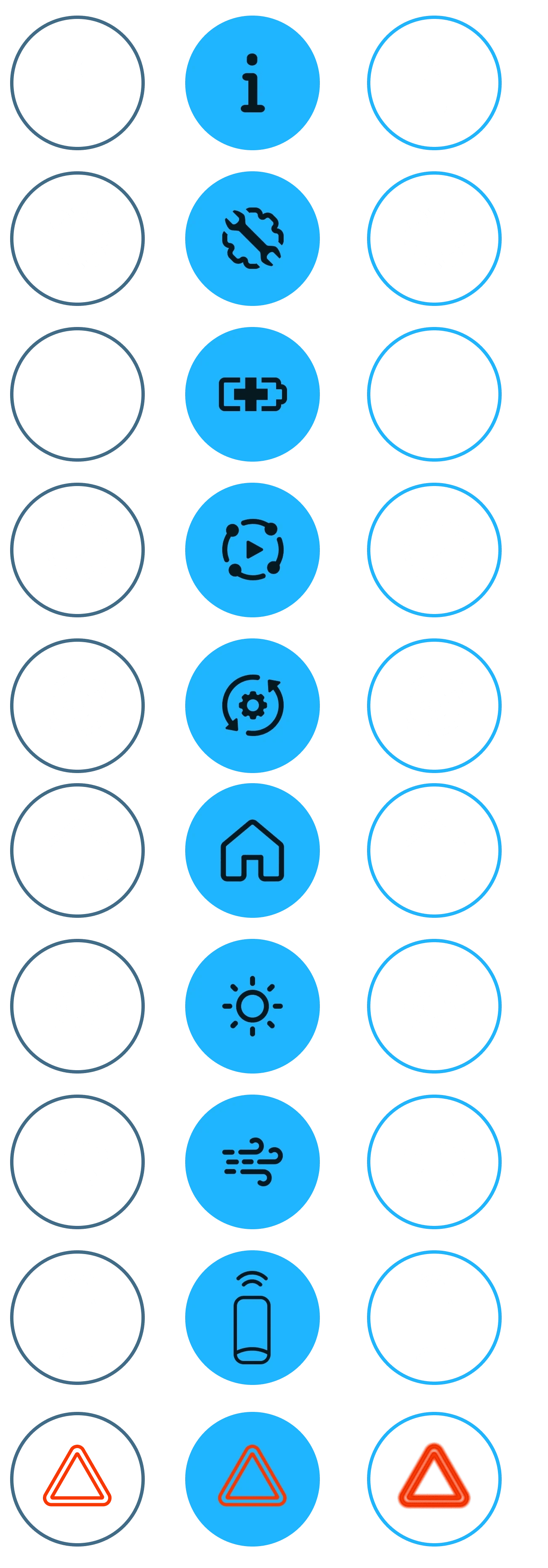
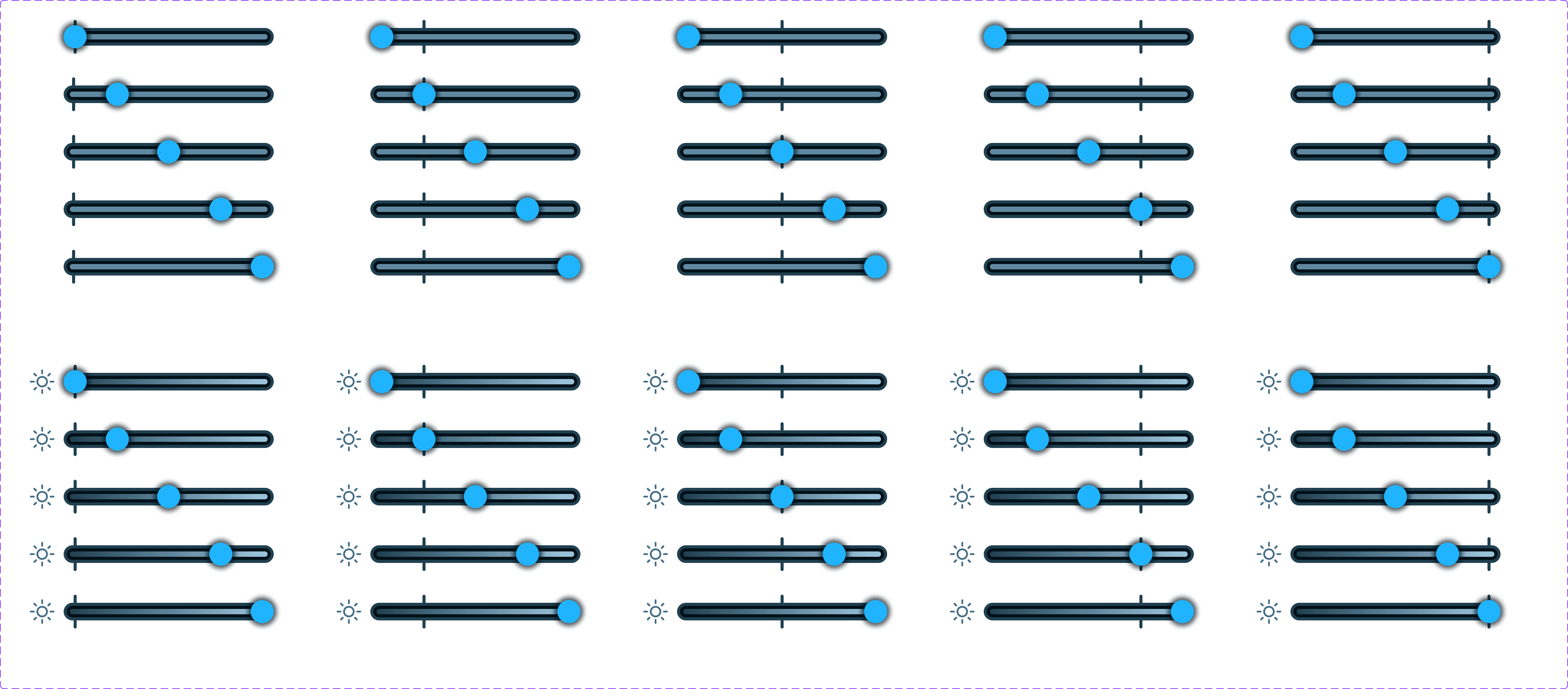
UI components and screens had to be created for every variation in the design specifications since the systems did not allow scalable and customisable programming functionalities
Limited functionality: The older machines were simple with limited functionality, making them useful only for initial references while defining Machine M's features. Every feature in Machine M had to be defined from the beginning.
Machine M broke those limits.
Largest touch screen in the portfolio: This required deliberate information hierarchy and interaction zoning for gloved hands, wet environments, and operators who may stand at a distance.
Modern webapp based frontend: Design specifications were easily scalable and could seamlessly be exported into the codebase, ensuring a shared language at the core of designer-developer discussions.
Increased modular functionality: Thinking of the system holistically while keeping different user types in mind was the foundation for an intuitive and smooth user experience.
The designer-developer collaboration was very tightly knit during iterations and handoff, reducing previously time-consuming workflows into quick discussions focusing on system logic.
EXPLORATIONS
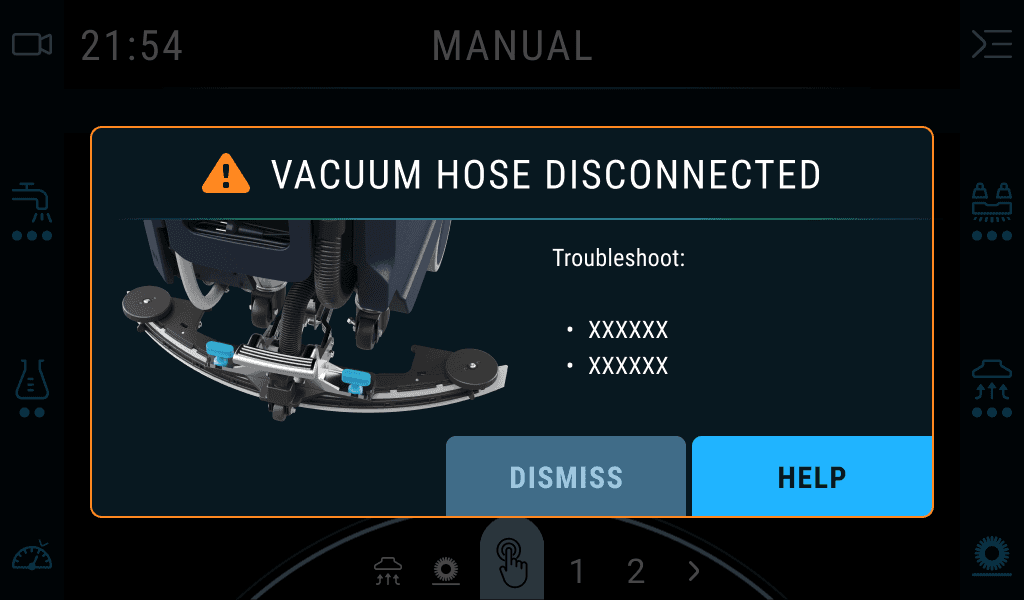
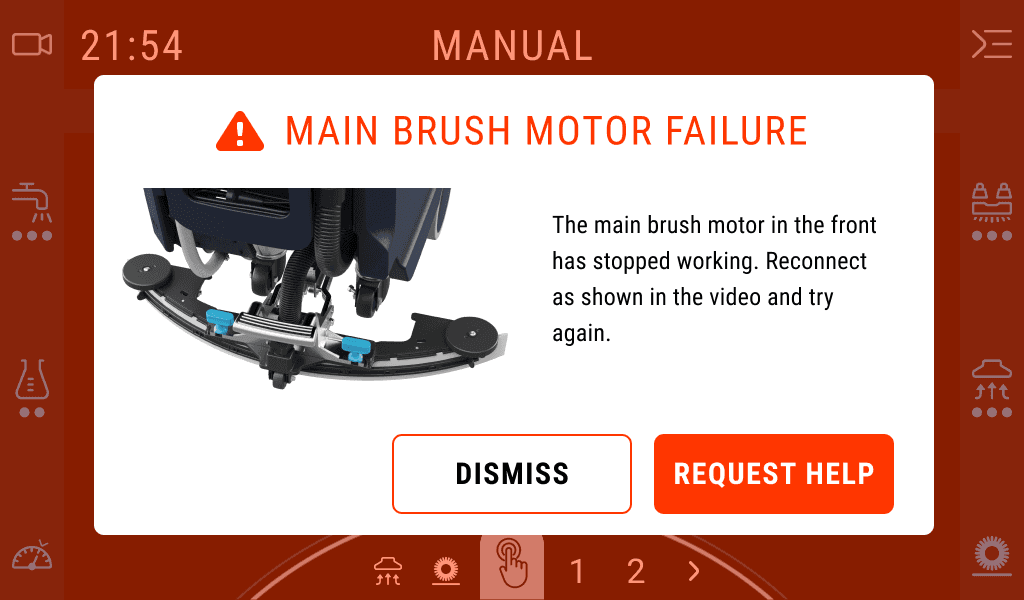
Initial low cost design updates
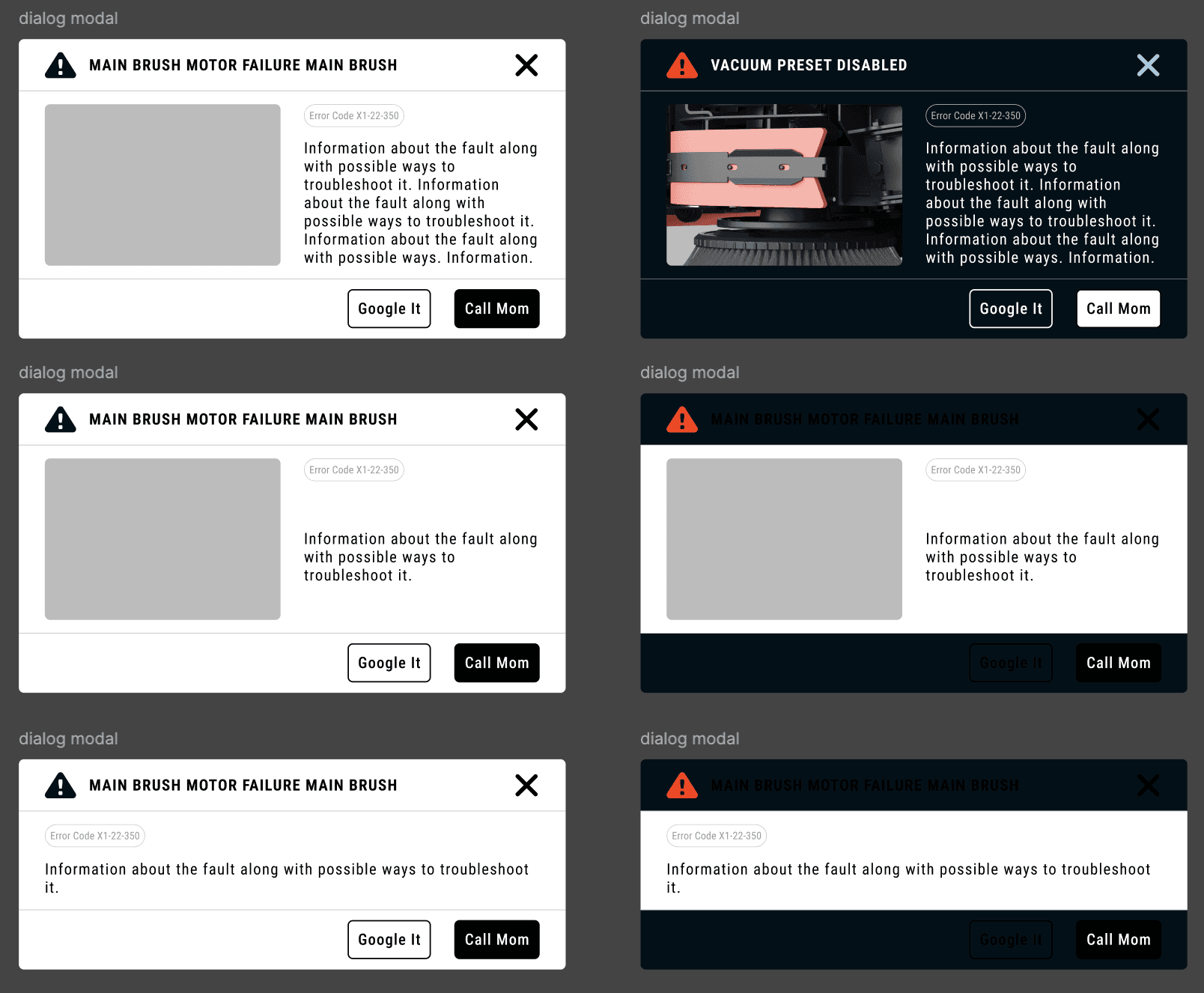
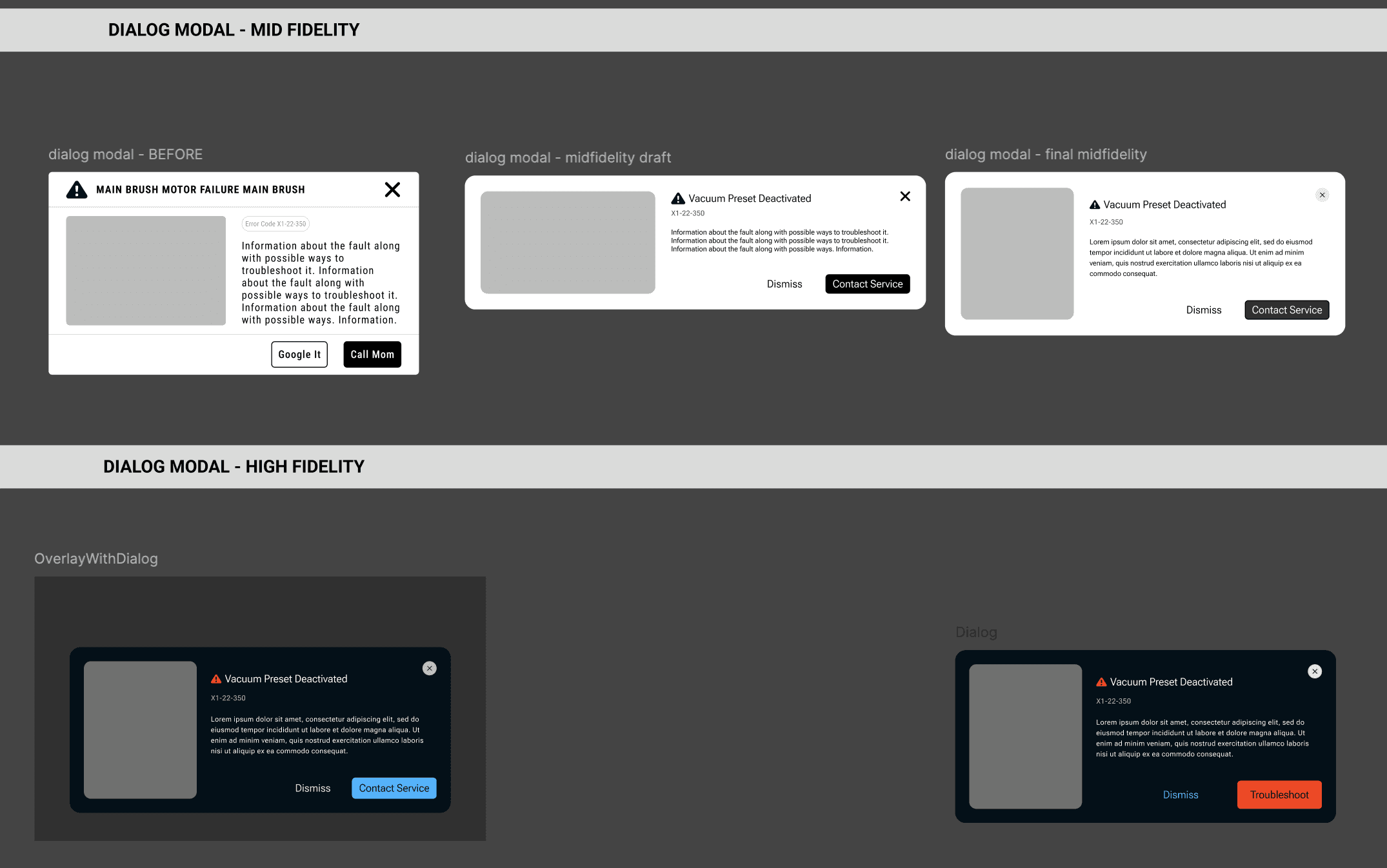
Prototypes focused on scalable foundations for information
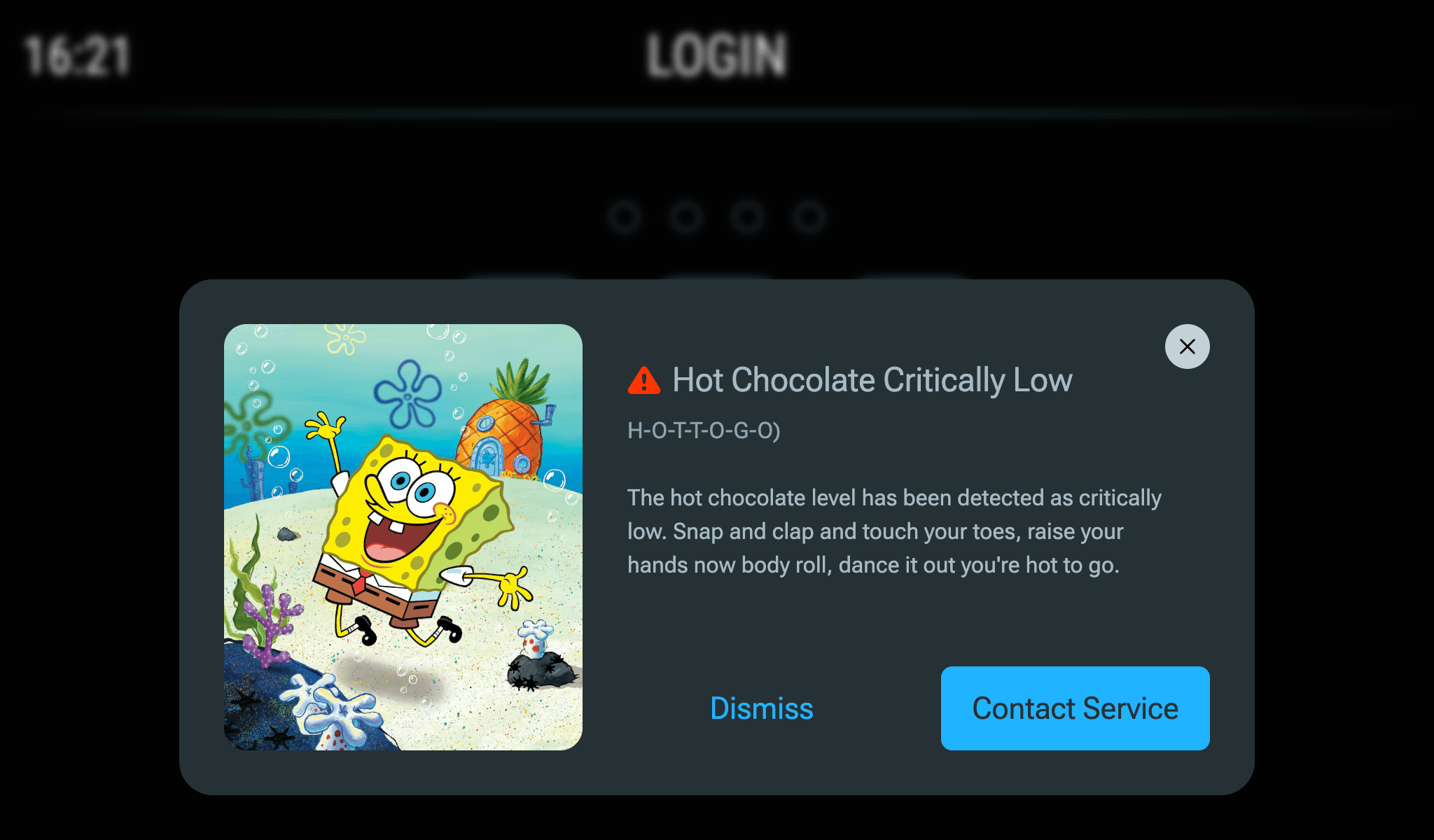
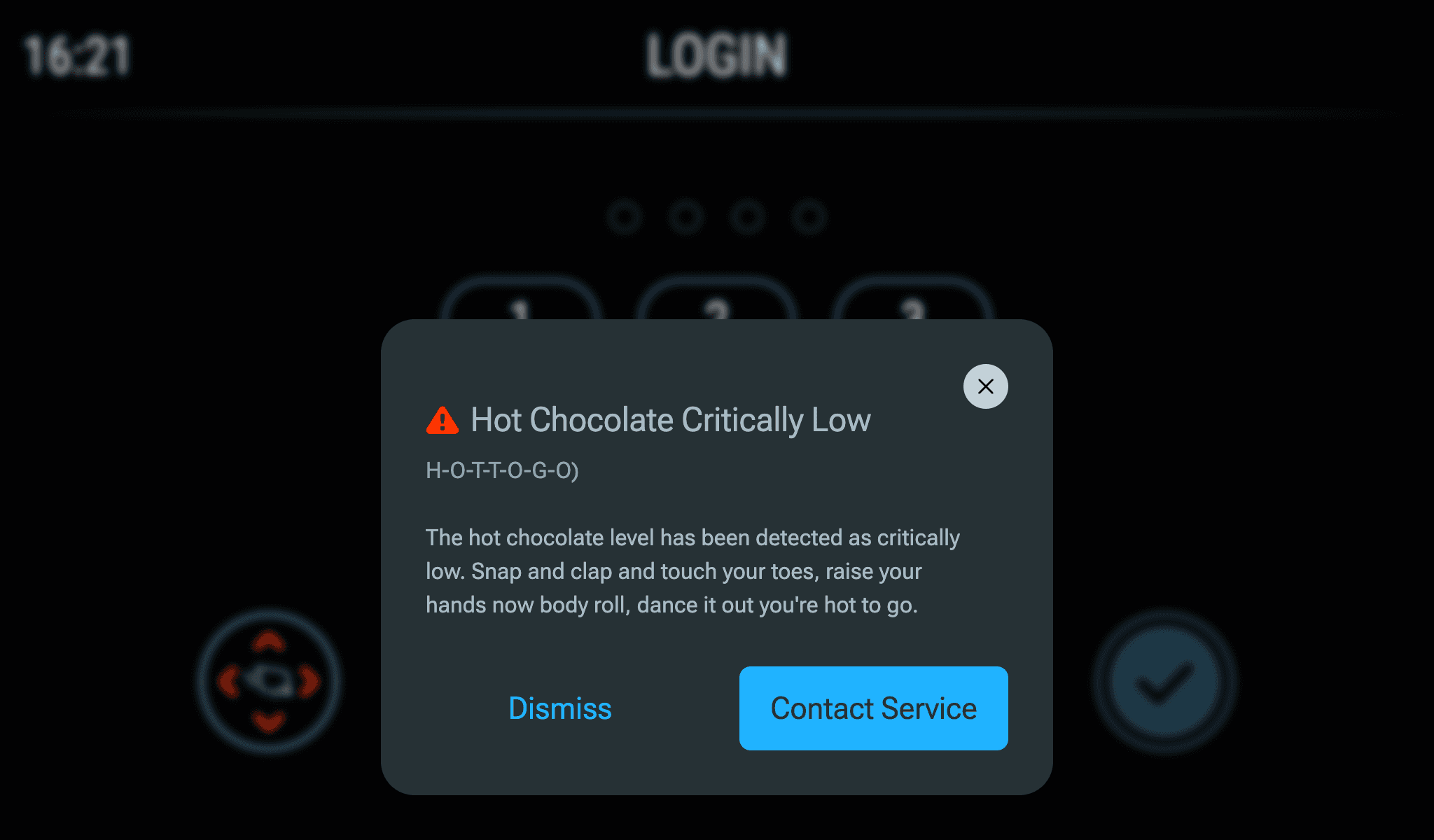
Final prototypes
DESIGN DELIVERABLES AND THEIR IMPACT ON FEATURES
Defining the scope of work
Consult stakeholders to identify information to be displayed and its impact on all user types.
Define a framework for machine related messages, independent of the UI design.
Follow design system and create UI components. Account for varying impacts of errors and inhibits that occur in machine subsystems.
Review faults and inhibits in the subsystems and map them to the framework's priority levels. Document instances of progressive disclosure of information and user access rights as needed.
Retroactively adopt the machine related messages framework in older features.
Impact of the stepped flow component on features
Guided troubleshooting: If operators could self resolve an error, it would reduce service related costs.
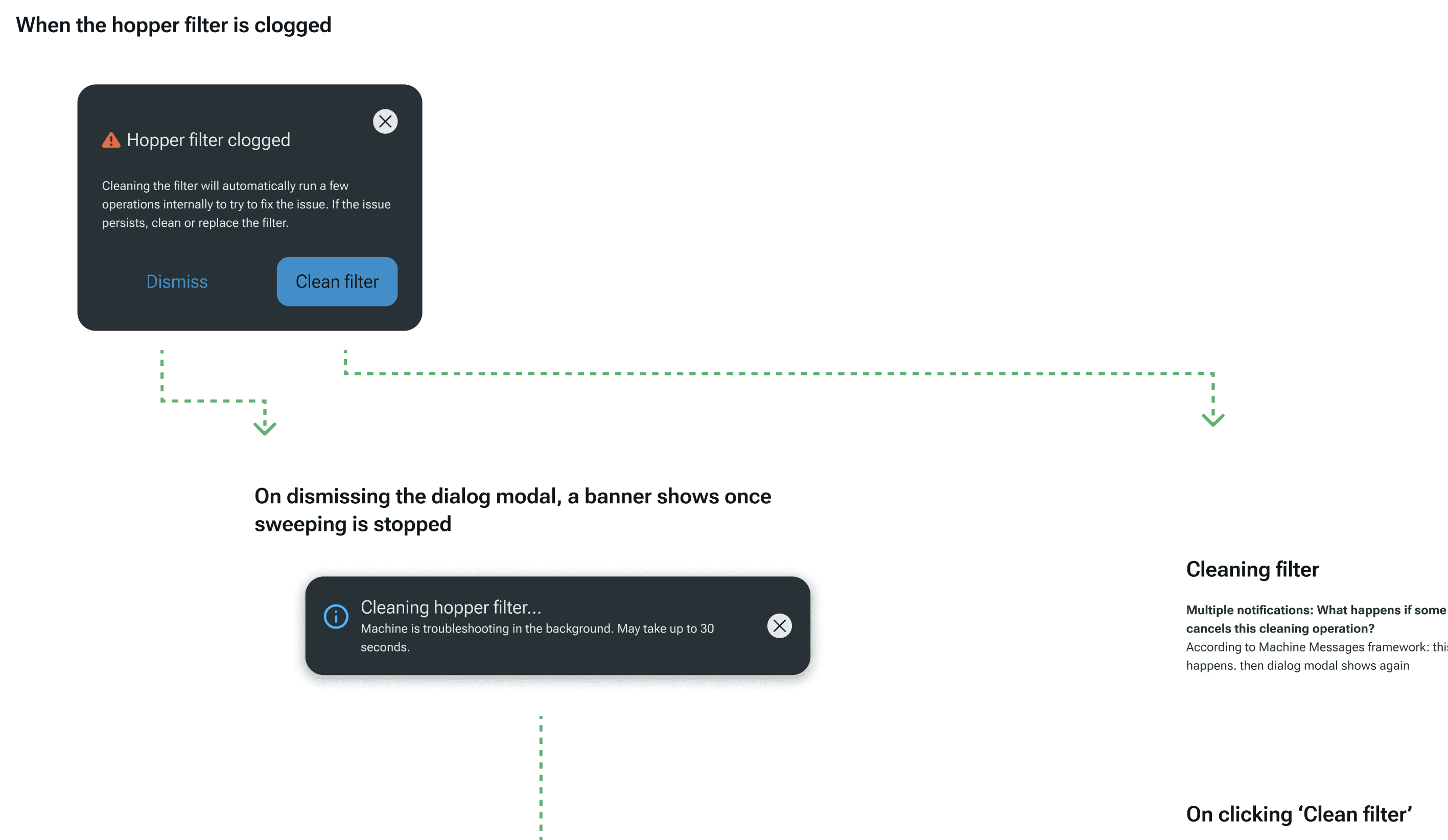
Optional flows to help operators do quick troubleshooting
Provide support for risky operations: If potentially dangerous operations can be detected early, operators should be provided with clear, helpful guidance for their safety,
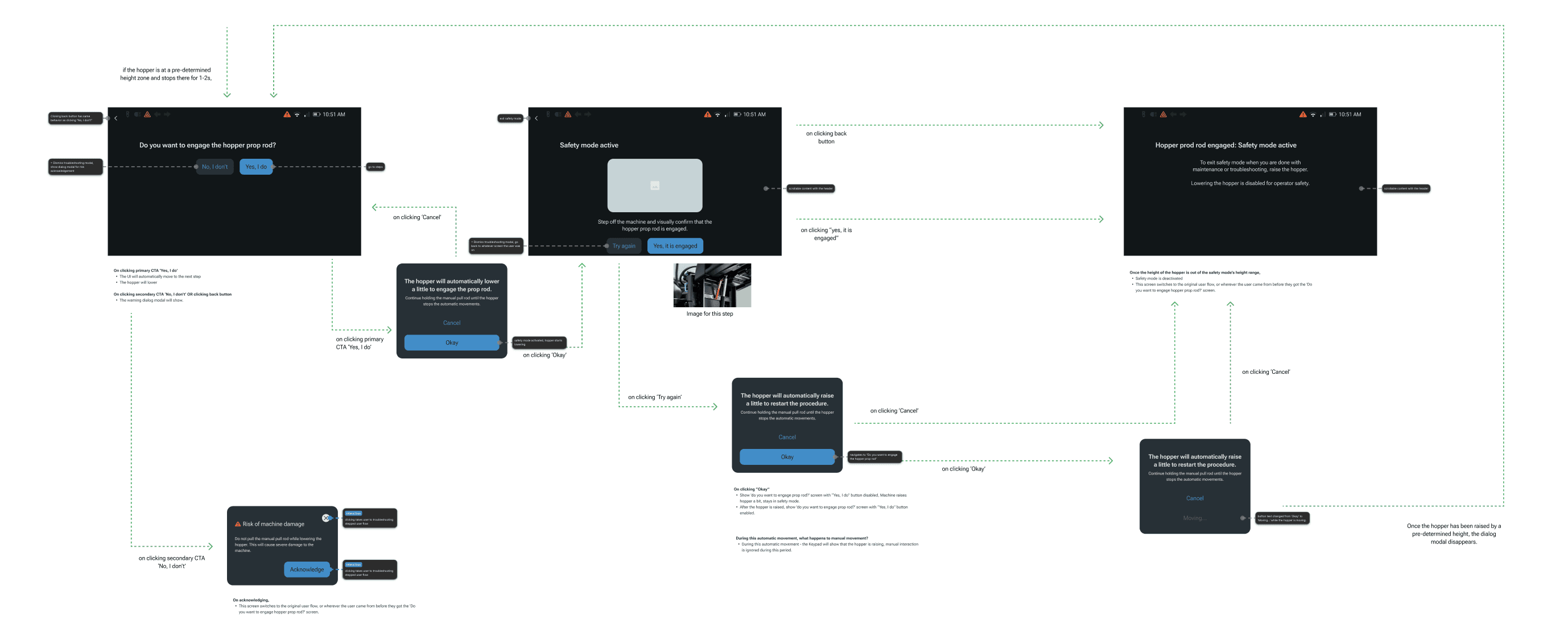
Automatic guided flows to ensure risky operations are conducted in a safe manner
Maintenance operations: If operators were shown a linear set of steps to follow, the error rate for operations immediately reduces.
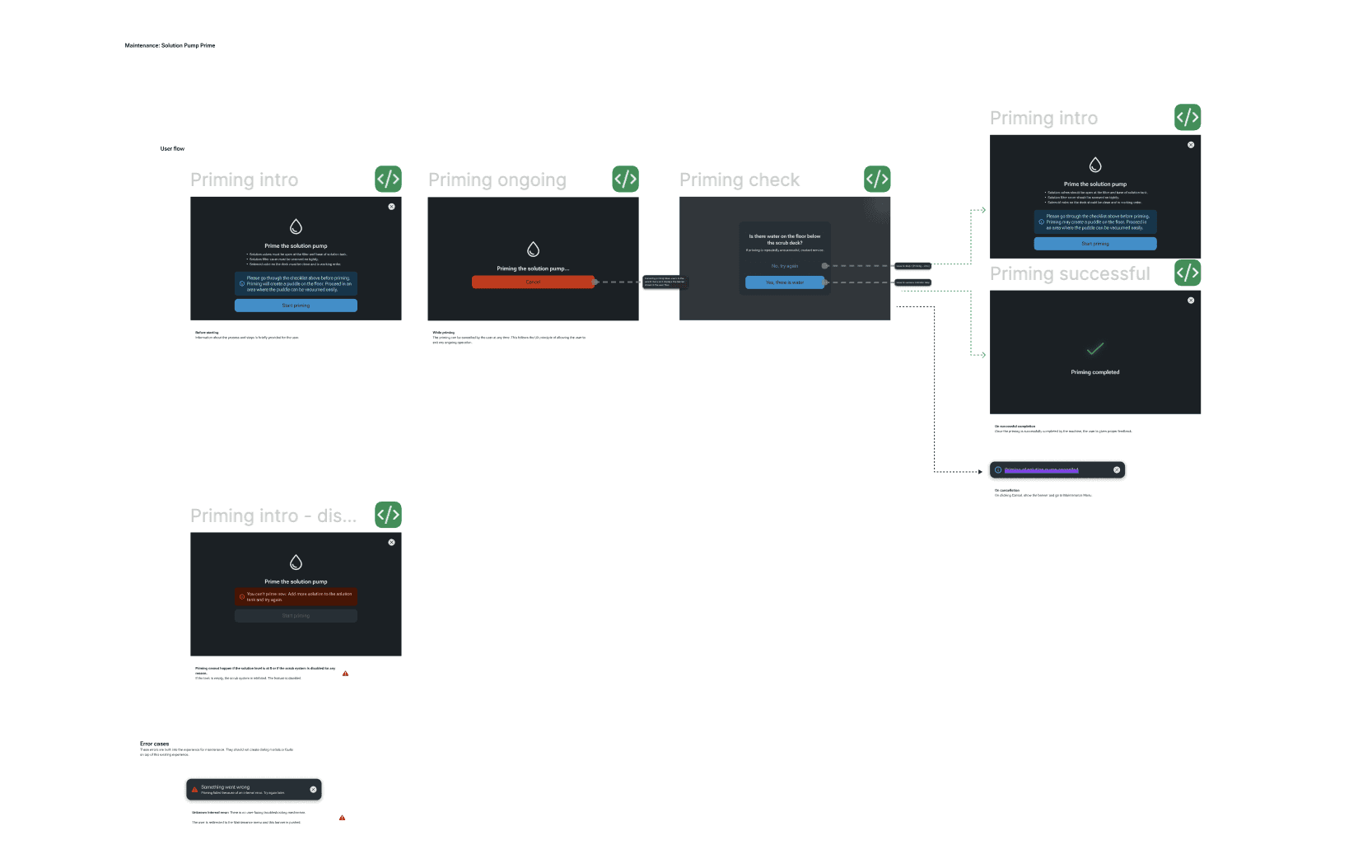
Focusing on a single step forces operators to review any notes they may forget otherwise during operations
FUTURE CONSIDERATIONS
Experimenting with AI for to ideate for planned future features
I used Figma Make to spin up prototypes of related features like logs on the machine using existing complex dashboards already on the machine and rough requirements following the information hierarchy documented through the messages framework.
This led to exploring questions related to bundling necessary information directly on the UI for service calls, filtering critical logs for a specific service visit etc.
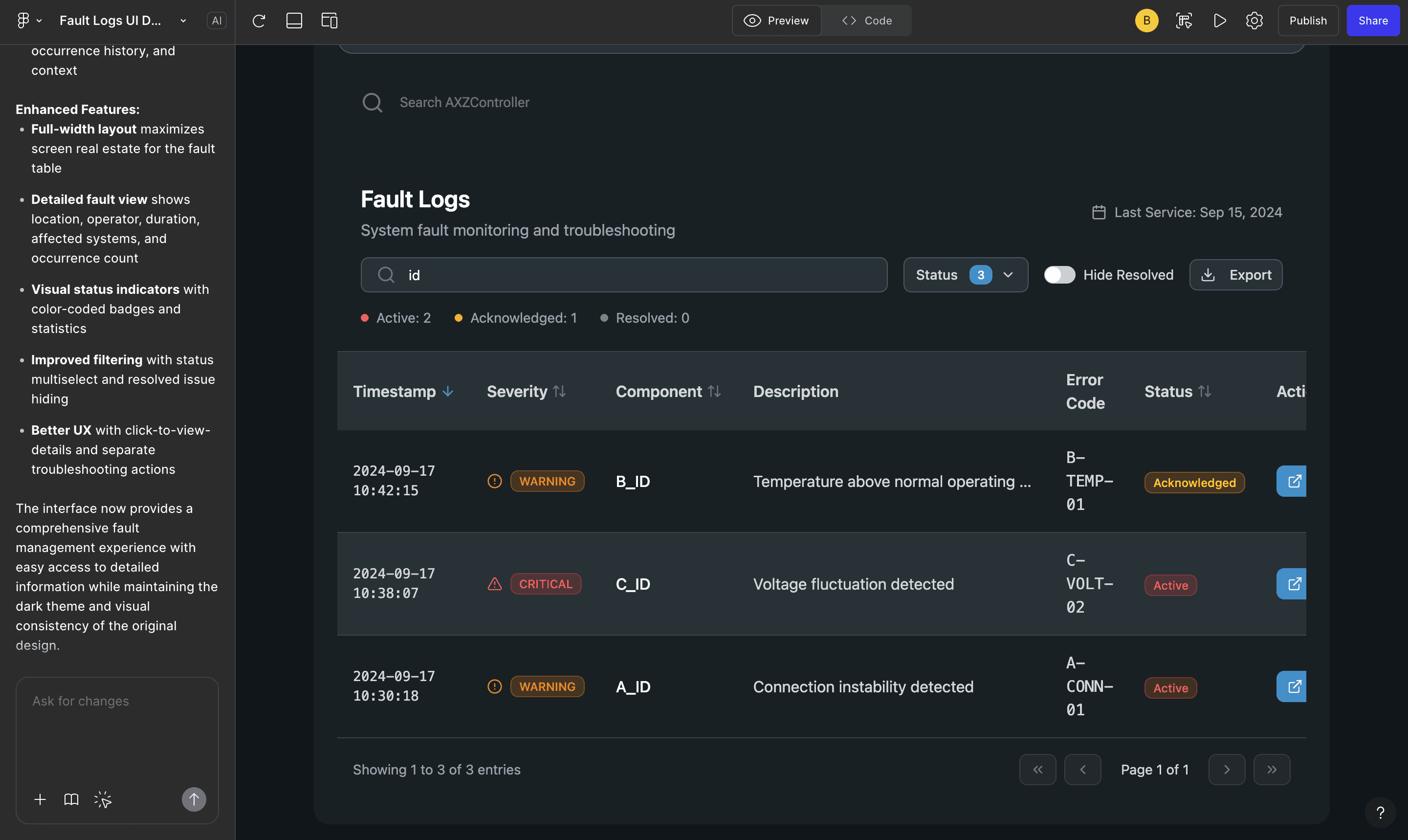
REFLECTIONS
What challenged me the most…
I had learnt to start designs at a low fidelity - this would help me think creatively, avoid falling into possibly bad UX patterns that were already set and would let me focus on sketching out only what was absolutely necessary for the user experience.
While prototyping the components for notifications, I realised that sketching and low fidelity prototyping would need additional work to refine to high fidelity components when I could have used the design system to mockup variations from the beginning.
Low fidelity designs are useful when ideating on extensions to the design system or undefined user flows. While designing features that could be derived from existing components, low fidelity mockups become unecessary.
Bringing the team along helps build trust and speeds up design!
Designing in isolation often lead to a lot of time spent explaining design decisions. Documenting UX principles that majorly influences design decisions and presenting this with references to the team before moving to design handoffs ensured that all the stakeholders were aligned on the reasoning behind any future work.